Tweedia Studio icon
Tweedia Studio icon

Tweedia Studio

Web-based timelapse editor for long shoots — turn weeks of photos or camera footage into a smooth, flicker-free timelapse without Lightroom.
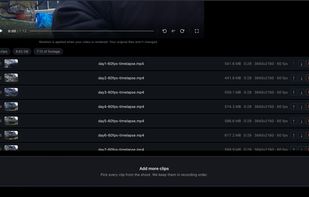
Tweedia Studio allows you to upload a series of timelapse photos or videos spanning long time periods and edits them into one continuous video effortlessly.

Cost / License

  • Freemium (Subscription)
  • Proprietary

Platforms

  • Online
0likes
0comments
0articles

Features

  1.  Transitions Effects
  2.  Non Destructive Editing
  3.  Support for 4K
  4.  Time-lapse

Tweedia Studio News & Activities

Highlights All activities

Recent activities

Tweedia Studio information

  • Developed by

    US flagTweedia Technologies LLC
  • Licensing

    Proprietary and Freemium product.
  • Pricing

    Subscription that costs up to $39 per month + free version with limited functionality.
  • Alternatives

    10 alternatives listed
  • Supported Languages

    • English
Tweedia Studio was added to AlternativeTo by Aaron Hill on and this page was last updated .
No comments or reviews, maybe you want to be first?

What is Tweedia Studio?

Tweedia Studio is a web-based timelapse editor built for long shoots — construction projects, gardens, workshops, and other multi-week captures. Upload photo sets or timelapse camera video (Brinno, GoPro, phone, DSLR); it analyzes the footage, removes flicker, skips dead time where nothing happens, and compiles a finished timelapse you can download or share.

 Everything runs in the browser — no Lightroom, plugins, or desktop install. Edits are non-destructive: adjust motion sensitivity, speed, and transitions with sliders and re-render without re-uploading. Free tier available with watermarked exports; paid plans add storage and render credits.

Tweedia Studio Videos

Official Links
