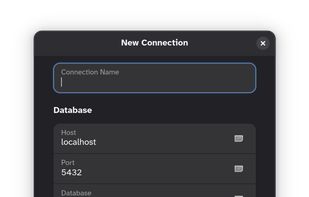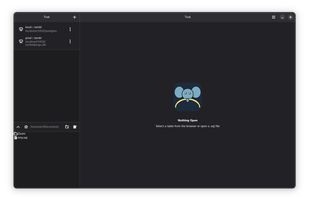

Tusk - PostgreSQL Client icon

Tusk - PostgreSQL Client

Native PostgreSQL clients for macOS and Linux.
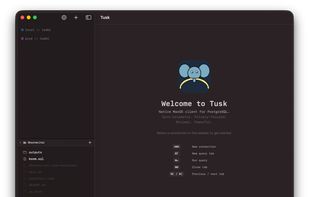
Tusk - PostgreSQL Client screenshot 1

Cost / License

  • Free
  • Proprietary

Application type

Platforms

  • Mac
  • Linux
0likes
0articles
Save

Features

Features

Highlights All activities

Tusk - PostgreSQL Client News & Activities

Recent activities

Tusk - PostgreSQL Client information

Tusk - PostgreSQL Client was added to AlternativeTo by Paul on and this page was last updated .

No comments or reviews, maybe you want to be first?

What is Tusk - PostgreSQL Client?

Native PostgreSQL clients for macOS and Linux.

Connections

  • Named connection profiles with optional color tag (blue, green, orange, red, purple, gray) and notes field
  • Passwords and SSH passphrases stored in macOS Keychain (never in config files)
  • SSL/TLS toggle per connection
  • Read-only mode — prevents any write queries from executing for that connection
  • SSH tunnel: host, port, user, private key file (file picker), optional passphrase stored in Keychain
  • Import a connection from a PostgreSQL URI (postgres:// scheme) to auto-fill all fields
  • Test connection before saving (validates SSL and SSH tunnel end-to-end)
  • Multiple connections open simultaneously; one active database client per connection
  • Duplicate connection (copies Keychain credentials)
  • Right-click a connection: connect, disconnect, refresh schema, edit, duplicate, or delete
  • Database switcher per connection
  • Superuser role badge shown on the connection row

Schema Browser

  • Schemas ? tables tree in the sidebar with connection color indicator
  • Tables, Views, Enums, Sequences, and Functions listed per schema
  • Database switcher per connection
  • Optional table size overlay: total size, row estimate, and index size per table (toggle in Settings)
  • Click a table or view to open it in a detail tab
  • Right-click a table: Rename, Truncate, or Drop (with CASCADE option)
  • Right-click a schema: New Table wizard with column builder, type picker, nullable/default/PK fields, and live DDL preview
  • Live filter bar for schema items
  • ?R or right-click to refresh schema; auto-refreshes on connect
  • Role browser: view and open role detail tabs

Table Inspector

  • Seven tabs per table: Columns, Keys, Relations, Indexes, Triggers, DDL, Data
  • Columns — name, type, nullability, default value, primary key indicator; add column toolbar button; right-click to Rename, Edit (type/default/nullability), or Drop with confirmation
  • Keys — foreign key constraints with column, referenced table and column; add constraint button
  • Relations — radial graph of outgoing and incoming FK relationships with column-level labels; pinch-to-zoom (0.3×–3.0×), drag-to-pan, double-click to reset
  • Indexes — index definitions with uniqueness and primary key indicators; create index button
  • Triggers — trigger names, timing (BEFORE/AFTER/INSTEAD OF), event types (INSERT/UPDATE/DELETE), and statement text
  • DDL — generated CREATE TABLE statement in a read-only syntax-highlighted editor with one-click copy
  • Data — full paginated data browser (see Data Browser section)