
TryCuebird icon
TryCuebird icon

TryCuebird

Invisible AI interview copilot. Native Mac & Windows apps deliver real-time, resume-tailored answers through an overlay hidden from screen share on Zoom, Meet & Teams. Mobile web version for mic-only practice. Free trial, no credit card needed.
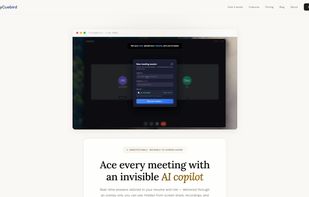
Homepage

Cost / License

  • Freemium (Pay once or Subscription)
  • Proprietary

Platforms

  • Online  Works in any modern mobile browser (Chrome, Safari, Firefox). Mic-only mode — system audio capture and invisible overlay are exclusive to desktop apps. Active internet connection required.
  • Windows  Requires Windows 10 or Windows 11. Requires system audio capture permission for full overlay functionality. Active internet connection required.
  • Mac  Requires macOS 12 (Monterey) or later. Compatible with Apple Silicon and Intel Macs. Requires system audio capture permission for full overlay functionality. Active internet connection required.
0likes
0comments
0articles

Features

TryCuebird News & Activities

Highlights All activities

Recent activities

TryCuebird information

  • Developed by

    Unknown
  • Licensing

    Proprietary and Freemium product.
  • Pricing

    One time purchase that costs $10, and / or subscription that costs $39 per month + free version with limited functionality.
  • Alternatives

    7 alternatives listed
  • Supported Languages

    • English

AlternativeTo Category

Development

Popular alternatives

View all
TryCuebird was added to AlternativeTo by saiputta28 on and this page was last updated .
No comments or reviews, maybe you want to be first?

What is TryCuebird?

TryCuebird is an AI-powered interview copilot built for software engineers, product managers, designers, and business professionals preparing for live interviews and high-stakes meetings.

The macOS and Windows desktop apps deliver an invisible overlay that captures system audio in real time, detects interviewer questions, and generates context-aware answers grounded in your resume, target role, and target company. The overlay is cryptographically hidden from screen capture — invisible on Zoom, Google Meet, Microsoft Teams, OBS, and proctoring tools. A mobile web version provides mic-only mode for practice runs and on-the-go sessions from any modern mobile browser.

Unlike traditional AI tools that produce robotic, generic responses, TryCuebird is built to sound human — pulling from your actual resume and experience to craft natural, conversational answers you'd genuinely say out loud.

Key features:

  • Resume-grounded answers — Upload your resume once. Every suggestion is built from your real projects, technologies, and achievements.

  • Invisible overlay (desktop) — Hidden from screen share, OBS, QuickTime, and meeting recordings.

  • Real-time question detection — Suggested talking points appear within 2–3 seconds.

  • Role and company context — Answers adapt to your exact target job and industry.

  • System audio capture (desktop) — No browser extension, no meeting bot, no link to share. Works with Zoom, Google Meet, Microsoft Teams, Webex, and any meeting platform.

  • Mobile web mode — Mic-only practice and on-the-go sessions from any phone browser.

  • Free mock sessions — Unlimited 15-minute mock interview practice with no credits consumed.

Use cases: Software engineering interviews (coding, system design, behavioral), product manager interviews, technical screens, sales and discovery calls, consulting case interviews, and non-native English speakers needing real-time phrasing help.

TryCuebird is a powerful alternative to Cluely, Final Round AI, Sensei AI, and LockedIn AI — with a focus on natural, human-sounding answers grounded in your actual resume rather than generic AI output.

TryCuebird Videos

Official Links