Tray Monitor Alternatives
Tray Monitor is described as 'A lightweight, cross-platform system monitoring tool that displays real-time hardware metrics (CPU, RAM, disk, network, temperature) in the system tray' and is a system information utility in the system & hardware category. There are more than 25 alternatives to Tray Monitor for a variety of platforms, including Windows, Linux, iPhone, iPad and Flathub apps. The best Tray Monitor alternative is HWiNFO (32/64). It's not free, so if you're looking for a free alternative, you could try HWiNFO (32/64) or Libre Hardware Monitor. Other great apps like Tray Monitor are Process Lasso, HWMonitor, VRAM Shield and hwinfo.
Alternatives list

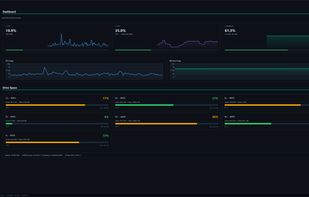
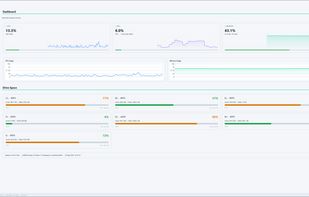
PulseMonitor is a free, portable PC health monitor for Windows with a clean dark interface. Monitor your CPU, GPU, RAM, storage, network and temperatures in real time with smooth animated graphs.
Cost / License
- Free
- Open Source (MIT)
Platforms
- Windows


+3
- 27 Camomile alternatives
Camomile, developed by Outbyte, is a comprehensive CPU optimization application designed to enhance the performance and longevity of your laptop. It effectively manages system loads, maintaining optimal temperatures to prevent overheating and extend hardware lifespan.


- 36 Argus Monitor alternatives
Monitoring temperatures and status of system components such as CPU, GPU and hard disk drive, fan speeds


+3
- 27 Lm-Sensors alternatives
Lm-Sensors is a free and open-source application that provides tools and drivers for monitoring temperatures, voltage, and fans.
Cost / License
- Free
- Open Source
Platforms
- Linux

Intel® Power Gadget is a software-based power estimation tool enabled for 2nd Generation Intel® Core™ processors or newer. It provides real-time processor package power information in watts using energy counters.
Cost / License
- Free
- Proprietary
Platforms
- Mac
- Windows


CPU Thermometer is one free CPU temperature monitor; it can help you monitor your computer CPU temperature in live time. Program can start with Windows start-up, and show live CPU temperature in your desktop tray icon, so you get this important system information at a glance.
Cost / License
- Free
- Proprietary
Platforms
- Windows

Linpack is a benchmark and the most aggressive stress testing software available today. Best used to test stability of overclocked PCs. Linpack tends to crash unstable PCs in a shorter period of time compared to other stress testing applications.
Cost / License
- Free
- Proprietary
Platforms
- Windows
- Linux

- 47 Fanny alternatives
Track Mac fan speed, target speed, minimum and maximum speeds, number of fans, and CPU or GPU temperature in real time from the Notification Center or Menu Bar using a compact widget designed to provide hardware stats without workspace clutter.

Hardware sensors monitor utilizes sensor chips on smart motherboards to track system and CPU core temperatures, voltages and cooling fans. By quickly catching an overheated computer, you can prevent disasters such as system instability or damage.
Cost / License
- Paid
- Proprietary
Platforms
- Windows


+2
This compact utility displays real-time CPU, RAM and disk drives usage meters right on the taskbar notification area, or next to the system clock, that is always visible.


+3