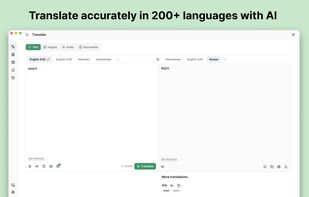
Lexibird helps you translate what you read, hear, and write. It supports text translation in 200+ languages, with tools for images, audio, and documents, and AI that takes context and tone into account.
Natural text translation
Translate everyday messages, emails, and longer passages. Choose a formal or informal tone and select from available AI models to suit your content.
Image and screen translation
Upload or paste an image to extract and translate its text. On Mac and Windows, capture part of your screen to translate text you can’t select or copy.
Document translation
Translate PDFs, Word documents, presentations, spreadsheets, and other supported files while preserving their formatting. Upload several files together and download the translated results.
Audio transcription and voice input
Turn audio recordings into text for review and translation. Use voice dictation to enter text by speaking.
Listen and learn
Hear translations spoken aloud. Look up words, phrases, and idioms with definitions, synonyms, pronunciation, and usage examples.
Translate as you browse
Select text on a website to see its translation without leaving the page. Use the browser side panel to translate text you type or paste.
Consistent terminology
Create glossaries for product names, brand terms, and specialized vocabulary. Share them within your workspace and import or export terminology using CSV, TSV, or TMX files.
Keep useful translations
Save translations to revisit across your apps. Saved items sync with your workspace, while translation history stays on the device where it was created.
Quick access on your desktop
Open Lexibird from any app with a customizable keyboard shortcut. Translate copied text and keep the app available in the Mac menu bar or Windows system tray.
Workspace privacy controls
Business workspaces can restrict AI translation requests to providers that support zero data retention. When enabled, requests stop if no eligible provider is available.
Lexibird is available on the web, macOS, and Windows, with browser extensions for Chrome, Edge, Opera, Brave, and Vivaldi.







 WebCatalog Ltd


No comments or reviews, maybe you want to be first?