


Tidy Sidebar
1 like
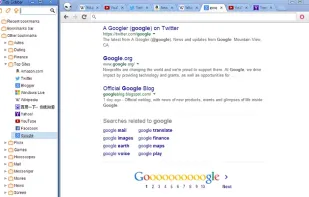
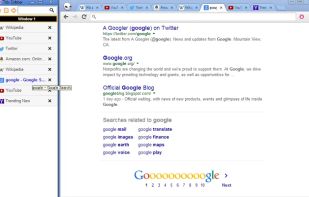
Tabs List & Bookmarks Sidebar.
Cost / License
- Free
- Open Source
Alerts
- Discontinued
Platforms
- Windows
- Google Chrome
Discontinued
The extension is no longer developed and working since March 2017.

Features
- Sidebar
Tidy Sidebar News & Activities
Highlights All activities
Recent activities
No activities found.
Tidy Sidebar information
Developed by
UnknownLicensing
Open Source and Free product.Alternatives
2 alternatives listedSupported Languages
- English


Featured in Lists

A list with 4 apps by Shojimeguro without a description.
List by Shoji VR with 4 apps, updated
What is Tidy Sidebar?
Tabs List & Bookmarks Sidebar
- Shortcut keys
Sidebar on/off Alt+A
- Change keyboard shortcut keys
Just open the extensions page scroll to the bottom of the page and click "Configure commands".
- Bookmark tags
After you bookmark a page, you have the option of adding "tags" to the bookmark. These tags are used to help better categorize bookmarks so you can find them when searching.
The Tags field lets you enter a list of tags you want associated with the new bookmark. When using more than one tag, use a comma to separate them. (e.g. music,jazz,guitar)
context menu -> edit -> bookmark tags
Address bar by typing "* " (asterisk-space)
Comments and Reviews
interesting sidebar for google chrome
but The extension is no longer developed and working since March 2017.