TextureAnySTL icon
TextureAnySTL icon

TextureAnySTL

Free browser tool that adds seamless embossed or engraved textures to any STL file for 3D printing, no install or account required.
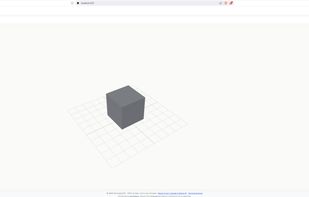
TextureAnySTL screenshot 1

Cost / License

  • Free
  • Proprietary

Platforms

  • Online
0likes
0comments
0articles

Features

Properties

  1.  Lightweight

Features

  1.  Ad-free
  2.  3D Sculpting
  3.  Parametric Modeling
  4.  No registration required
  5.  Procedural Modeling
  6.  Dark Mode
  7.  Works Offline
  8.  No Coding Required
  9.  3D Printing
  10.  3D design

TextureAnySTL News & Activities

Highlights All activities

Recent activities

TextureAnySTL information

  • Developed by

    LocalToolbox
  • Licensing

    Proprietary and Free product.
  • Alternatives

    3 alternatives listed
  • Supported Languages

    • English
    • Spanish
    • French
    • German
    • Portuguese
    • Italian
    • Chinese
    • Japanese
    • Korean
TextureAnySTL was added to AlternativeTo by Support CopyPasteAnyPDF on and this page was last updated .
No comments or reviews, maybe you want to be first?

What is TextureAnySTL?

TextureAnySTL is a free, browser-based tool that lets you add surface textures to any STL file in seconds. Drop in your model, click any face, pick a pattern from the built-in gallery, adjust the depth, and export a watertight STL ready for your slicer. It works on flat panels, curved surfaces, fillets, spheres, and organic shapes. No Blender, no Fusion 360, no CAD knowledge needed. Your file never leaves your device because everything runs locally in your browser using JavaScript and WebGL. The exported STL is a standard binary file compatible with Bambu Studio, PrusaSlicer, OrcaSlicer, Cura, and Chitubox. You can also upload your own PNG, JPG, or SVG as a custom grayscale heightmap. The tool includes 20 plus built-in texture presets covering geometric patterns, organic shapes, woven knit, diamond plate, and more.

TextureAnySTL Videos