





TextShape
1 like
Free browser tool that fills any shape or uploaded image with your own words, then exports it as a PNG, an SVG cut file, or a short animated reveal.
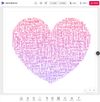

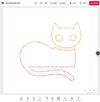

+2

Cost / License
- Free
- Proprietary
 EU
EUPlatforms
- Online

Features
TextShape News & Activities
Highlights All activities
Recent activities
- Mitico updated TextShape
- Mitico liked TextShape
- Mitico added TextShape
 Mitico added TextShape as alternative to WordArt, WordClouds.com, WordItOut, WordCloud.pro and 9 more

TextShape information
Developed by
 Gediminas Blazys
 Licensing
Proprietary and Free product.Alternatives
13 alternatives listedBadge
Get an embeddable badge for TextShapeSupported Languages


No comments or reviews, maybe you want to be first?