


TextMate
TextMate brings Apple's approach to operating systems into the world of text editors. By bridging UNIX underpinnings and GUI, TextMate cherry-picks the best of both worlds to the benefit of expert scripters and novice users alike.
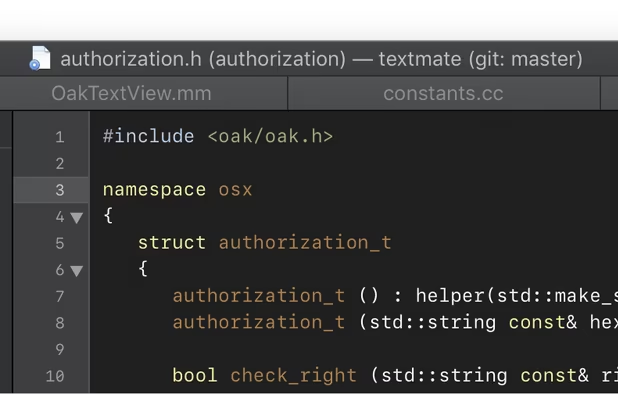
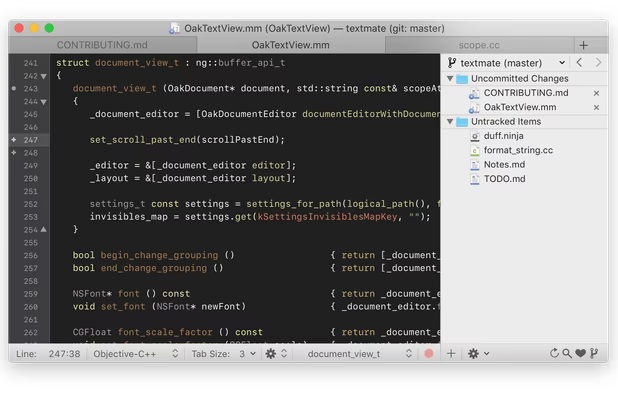
Last commit and version is from 2021

Features
Properties
- Support for Themes
- Lightweight
Features
- Extensible by Plugins/Extensions
- Syntax Highlighting
- Search and Replace
- Automatic Indentation
- Support for MarkDown
- No registration required
- Dark Mode
- Code Formatting
- Ad-free
- Works Offline
- Code Snippet Manager
TextMate News & Activities
Recent News
Recent activities
- kdsfoiukvmko liked TextMate
 OrdinaryPerson added TextMate as alternative to Visual Code Space
 Ugotsta added TextMate as alternative to Fresh editor
 MCQ333 added TextMate as alternative to PlainPad and Light Notepad


Featured in Lists

A list with 807 apps by AmileyaRyver without a description.

List of all Mac apps

Just a list of some of the apps I use at home
What is TextMate?
TextMate brings Apple's approach to operating systems into the world of text editors. By bridging UNIX underpinnings and GUI, TextMate cherry-picks the best of both worlds to the benefit of expert scripters and novice users alike.
Whether you are a programmer or a designer, the production of code and markup is hard work. Without an editor dedicated to the task, it is also often cumbersome, overwhelming, and repetitive. Especially when you are dealing with a lot of files at once — like most projects do. TextMate puts you back in control, reduces the mental overhead, and turns manual work into something the computer does.
Fonts And Colors
Created by a closet UNIX geek who was lured to the Mac platform by its ease of use and elegance, TextMate has been referred to as the culmination of Emacs and OS X and has resulted in countless requests for both a Windows and Linux port, but TextMate remains exclusive for the Mac, and that is how we like it!
TextMate is not an IDE but by using its powerful snippets, macros, and unique scoping system, it can often provide features that even a language specific IDE lacks. It has enough project management features to keep most users happy, but is otherwise kept lightweight with a clean and minimalistic GUI.
A list of highlights :
• Ability to Search and Replace in a Project • Auto-Indent for Common Actions Like Pasting Text • Auto-Pairing of Brackets and Other Characters • Clipboard History • Column Selections and Column Typing • Completion of Words from Current Document • Declarative Language Grammars for Graceful Mixing and Hacking • Expand Trigger Words to Code Blocks With Tab-able Placeholders • Foldable Code Blocks • Recordable Macros With No Programming Required • Regular Expression Search and Replace (grep) • Run Shell Commands from Within a Document • Support for More Than 50 Languages • Themable Syntax Highlight Colors • Works As External Editor for (s)ftp Programs • Works Together With Xcode and Can Build Xcode Projects
TextMate information
Developed by
 MacroMates Ltd.
 Licensing
Open Source (GPL-3.0) and Free product.Written in
Alternatives
163 alternatives listedSupported Languages
- English

AlternativeTo Categories
Development, Office & ProductivityGitHub repository
- 14,724 Stars
- 1,743 Forks
- 21 Open Issues
- Updated


Comments and Reviews
It’s a little old now and seems to no longer be updated, but is still (in 2024) a highly functional and highly useful app. Has many built-in features for helping edit text in a variety of program languages though I mostly use it just for basic text editing and markdown.
Something I love is to format a plaintext document in markdown in TextMate, get the WYSIWYG preview of it, and then copy/paste that into a Google Doc. It will maintain formatting include headers. Excellent!
Great macOS integration
It is not open source, you have to purchase a license.
Yes it is open source, you can find the code here : https://github.com/textmate/textmate.
It's a shame that TextMate died of a Second System Syndrome. Still no other text editor allows me to edit text in multiple lines at once.
Hey just FYI several other editors allow this, including Sublime Text and Atom. On a Mac you command-click to add a new cursor.
It's fixed now. Also added some more tags and a URL. Thanks!