Term Butler icon
Term Butler icon

Term Butler

Menu bar application for translators offering selection-based term lookup in 290+ dictionaries, glossaries, and databases from any macOS app, with offline local processing, text expansion, snippet and clipboard history, unit and word counter, and import/export.
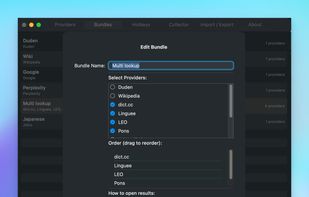
Multi-Search Setup

Cost / License

  • Subscription
  • Proprietary

Application type

Platforms

  • Mac  macOS 13.0 (Ventura) or later, Apple Silicon
0likes
0comments
0articles

Features

Properties

  1.  Lightweight
  2.  Privacy focused
  3.  AI-Powered

Features

  1.  Ad-free
  2.  Works Offline
  3.  No Tracking
  4.  Full-Text Search
  5.  Dark Mode
  6.  No registration required
  7.  Translator
  8.  Keyboard Shortcuts
  9.  Computer aided translation

Term Butler News & Activities

Highlights All activities

Recent activities

Term Butler information

  • Developed by

    DE flagTimo Mistler
  • Licensing

    Proprietary and Commercial product.
  • Pricing

    Subscription ranging between $2 and $3 per month.
  • Alternatives

    12 alternatives listed
  • Supported Languages

    • English
Term Butler was added to AlternativeTo by MostlyHarmless on and this page was last updated .
No comments or reviews, maybe you want to be first?

What is Term Butler?

Term Butler is a menu bar app for translators and other language professionals. Select a term in any application (e.g. a CAT tool, a PDF, a teams chat, an email), press a hotkey, and Term Butler opens it in all your configured reference sources at once: dictionaries, terminology databases, client glossaries. Sources can open in separate tabs, separate windows, or a combined split view.

Features:

  • Selection-based lookups: one hotkey searches a term in several sources simultaneously.
  • Resource Library with about 290 preconfigured dictionaries, encyclopedias, and reference sites in 17 languages.
  • Local glossaries: convert an Excel glossary with the included Glossary Converter and search it offline.
  • Snippet Collector with Collect & Advance for CAT tools (memoQ, Trados, Phrase, and others) and one-key pasting into Microsoft Word for offline spelling and grammar checks — no data leaves the Mac.
  • SmartText: global text expansion — type a short code, get the full phrase, in any app.
  • Search History with a Recent Lookups menu that re-runs past searches.
  • Optional text-only Clipboard History (off by default; entries marked confidential by password managers are ignored).
  • Right-click lookups via the macOS Services menu.
  • Unit Converter: select a value like 5 km or 100 °F and see the conversions in a floating panel.
  • Character and Word Counter with width equivalents for UI length limits.
  • Websites: up to ten frequently used pages, opened via number keys or individual hotkeys.
  • Full configuration import/export as JSON.

All processing happens locally. Requires macOS 13 or later on Apple Silicon, and the Accessibility permission for global hotkeys.

Term Butler Videos

