TeamCounter is a tally counter, scorekeeper and shared list tool available in your browser at teamcounter.net and as a native Android app. It helps individuals, teams, clubs and small groups track counts, scores, drinks, attendance and quantities without creating a TeamCounter account.
Create a list, name your entries and adjust values with plus and minus controls. Use it for board game nights, training sessions, club activities, shared office drinks, events, everyday tasks or personal goals.
Five list types cover different counting needs:
• Tally lists: Track multiple people, tasks, items or events in one list, with individual counts and optional goals.
• Score counters: Keep points for players or teams, use flexible scoring increments and follow the current standings.
• Drink lists: Count drinks or other items, assign a price to each row and calculate row totals and an overall total.
• Attendance lists: Add participants, record attendance and save dated sessions for later review.
• Value counters: Assign a value to each counting step and calculate totals for different categories.
For collaborative counting, create an online list and share the appropriate link. A view link provides read-only access, while a management link lets trusted participants update values and manage entries. The same online list can be opened in the Android app or a browser on a phone, tablet or computer.
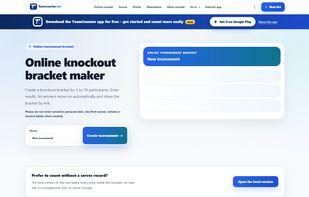
The web version also offers display views for shared screens and projectors, CSV exports and printable views that can be saved as PDF through the browser. A separate knockout tournament tool creates brackets for 3–16 participants, handles byes and advances winners.
For counting on one device, the website offers local browser lists. These remain in that browser and cannot be shared through an online list link.
The native Android app adds an overview of saved list links, which are stored locally in encrypted form. It also includes two dedicated offline tools:
• Quick Score: Keep scores for 2–20 teams or players, with large controls, adjustable scoring steps, undo, landscape support and automatic local saving. A home-screen widget lets you update scores directly.
• Offline click counter: Count visitors, repetitions, laps or other events using the screen or volume keys, with adjustable steps, touch lock and counter history.
Shared online lists require an internet connection. Local browser lists and the Android app’s offline counters remain separate and do not automatically synchronize across devices.
The website is free to use, and the Android app is free to install. Advertising supports the service. The Android app also offers optional paid Premium features for extended statistics and export options.






 EU


 Maximilian-Holstein added TeamCounter as alternative to Tally - Count Anything, Simple Counter, BetterCounter, Count Artisan: Tally Counter and 17 more

 Maximilian Holstein


No comments or reviews, maybe you want to be first?