





Tansei
Like
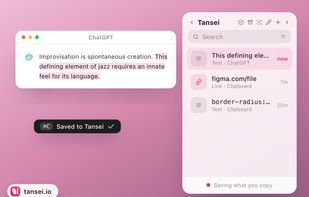
An edge-docked workspace keeps copied text, links, images, colors, code and files ready to drag into other apps. It organizes items with groups, tags, pins and search, and also captures screenshots, screen recordings and voice memos with on-device transcripts.


Features
Highlights All activities
Tansei News & Activities
Recent activities


Developed by
 Pooja Phillips
Licensing
Proprietary and Commercial product.Pricing
One time purchase (perpetual license) that costs $7.Alternatives
16 alternatives listedBadge
Get an embeddable badge for TanseiSupported Languages


No comments or reviews, maybe you want to be first?