
Talkie icon
Talkie icon

Talkie

 1 like

Free text-to-speech browser extension button. Select text on any web page, and have the computer read it out loud for you by simply clicking the Talkie button.
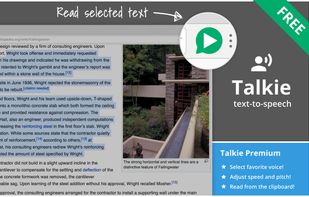
Talkie screenshot 1

Cost / License

  • Freemium (Subscription)
  • Open Source (GPL-3.0)

Application type

Since

  • Since 2017 (updated Jun 2026)

GitHub

  • GitHub stars: 80

Platforms

  • Windows  Uses the text-to-speech voices installed in the browser, as well as in Windows. Add voices by downloading a Windows language pack plus voice.
  • Mac  Uses the text-to-speech voices installed in the browser, as well as in macOS. Add voices in System Preferences Accessibility Speech.
  • Linux
  • Chrome OS
  • Google Chrome  Uses the text-to-speech voices installed in the browser, as well as in the operating system.
  • Firefox
  • Vivaldi Browser
1like
0articles
Save

Features

Features

Highlights All activities

Talkie News & Activities

Recent activities

No activities found.

Talkie information

AlternativeTo Categories

Web Browsers, OS & Utilities, News & Books

GitHub repository

  •  80 Stars
  •  23 Forks
  •  13 Open Issues
  •   Updated  
View on GitHub
Talkie was added to AlternativeTo by joelpurra on and this page was last updated .

No comments or reviews, maybe you want to be first?

What is Talkie?

Features in Talkie

  • Lets you listen to the selected text on any part of a page — short snippets or entire news articles. Just highlight what you want to hear read aloud and hit play.
  • Automatically detects the text language per-page, and chooses a voice in the same language to match it.
  • Privacy aware — no unnecessary tracking or external services.
  • Free!

Upgrade to Talkie Premium available.