Talk to Type icon
Talk to Type icon

Talk to Type

Push-to-talk dictation in any app on Windows or Mac. Record meetings with no bot in the call. Live transcripts and AI summaries. Free 14-day trial.
Dictate into anything
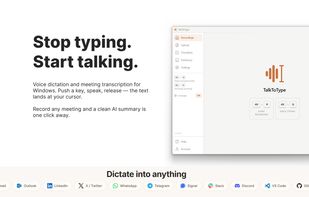
Hold a key, speak, release. The text appears wherever your cursor is, in any app: Outlook, Slack, Word, Teams chat, the search bar of your browser. The under-appreciated bonus: people give way better prompts to ChatGPT when they speak than when they type. You'll find yourself explaining the actual problem instead of stripping it down to seven keywords.

Cost / License

  • Freemium (Pay once or Subscription)
  • Proprietary

Platforms

  • Windows
  • Mac

Record a meeting, no bot needed
TalkToType grabs both your microphone and the audio coming from your speakers, without an awkward "bot has joined" notification.  any platform, even YouTube. The transcript scrolls live, when you stop you have an MP3 and a clean text file.

Upgrade transcription with Gemini Pro
Live transcription is fast and good enough for most calls. For the meeting you actually need to keep clean, click "Upgrade transcript" and a heavier AI model goes back over the audio. You decide which recordings deserve it. No need to pay for all of them.
1like
0comments
0alternatives
0articles

Features

Properties

  1.  Privacy focused

Features

  1.  Ad-free
  2.  Dark Mode
  3.  No registration required
  4.  No Tracking
  5.  Push to talk
  6.  AI-Powered
  7.  Speech to text
  8.  Audio Recording
  9.  Dictation
  10.  Voice to Text

Talk to Type News & Activities

Highlights All activities

Recent activities

Talk to Type information

  • Developed by

    NL flagLaurens v Leer
  • Licensing

    Proprietary and Freemium product.
  • Pricing

    One time purchase that costs $49, and / or subscription ranging between $9 and $25 per month + free version with limited functionality.
  • Alternatives

    0 alternatives listed
  • Supported Languages

    • English
    • Spanish
    • French
    • German
    • Dutch

AlternativeTo Categories

Audio & MusicOffice & Productivity
Talk to Type was added to AlternativeTo by talktotype on and this page was last updated .
No comments or reviews, maybe you want to be first?

What is Talk to Type?

Speak a full, nuanced prompt instead of typing a few keywords — the more complete the context, the better your AI's output.

Talk To Type turns your voice into text on Windows and macOS, in two ways.

1. Push-to-talk dictation. Hold a hotkey (default Alt+Q), speak, release, and the text appears at your cursor in any app: email, ChatGPT, Slack, Word, your browser. One key (F8) switches between two languages. Dutch, English, German, French and Spanish are supported.

2. Meeting recording without a bot. It records your microphone and your system audio locally (WASAPI loopback), capturing both sides of any Teams, Zoom, Meet or Webex call without sending a "bot has joined" notice. You get a live transcript and a one-click AI summary with decisions and action items.

Key features

  • Inline dictation anywhere you can type
  • Local meeting recording, no meeting bot
  • One-click AI summaries (overview, decisions, action items)
  • Live checklists that tick off as topics come up
  • Custom dictionary for names, brands and jargon
  • Audio upload (MP3, WAV, M4A, OGG) for the same transcript and summary
  • Premium transcript upgrade with speaker labels (Pro plan)

Privacy first. Recordings stay on your computer. Audio is sent only briefly to a speech-to-text provider (Groq by default), then discarded. No telemetry on your content.

Platform. Windows 10 and 11, plus macOS 13+ on Apple Silicon.

Talk To Type is a privacy-friendly alternative to cloud meeting bots and handles dictation and meeting capture in one app.

Official Links

