


Tactical RMM
2 likes
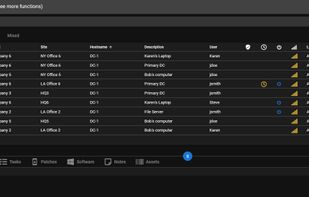
Tactical RMM is a remote monitoring & management tool for Windows computers, built with Django, Vue and Golang. It uses an agent written in Golang and integrates with MeshCentral.

Cost / License
- Subscription
- Proprietary
Platforms
- Mac
- Windows
- Linux
- Online
- Self-Hosted


Features
Highlights All activities
Tactical RMM News & Activities
Recent News
No news, maybe you know any news worth sharing?
Share a News Tip
Recent activities
 Ad3t0 added Tactical RMM as alternative to TridentStack Control
- Paul updated Tactical RMM
- updated Tactical RMM
 Brian Vitko added Tactical RMM as alternative to RFF
 Greg_A added Tactical RMM as alternative to nexrstack


Developed by
 Amidaware
 Licensing
Proprietary and Commercial product.Pricing
Subscription ranging between $55 and $1000 per month.Written in
Alternatives
31 alternatives listedBadge
Get an embeddable badge for Tactical RMMSupported Languages

AlternativeTo Category
Business & CommerceGitHub repository
- 4,268 Stars
- 607 Forks
- 467 Open Issues
- Updated


Remote access you can host inside your own perimeter
Remote access tools that can run on infrastructure you control, rather than only through a vendor's cloud. Useful if you work under data-residency rules, need the relay inside your own network, or simply want the option to move off SaaS later.
The selection criterion is narrow on purpose: every entry here can be deployed on your own server, either as the full product or as a self-hosted relay/gateway. Some are fully open source, some are commercial with a self-hosted tier — that difference is noted per entry.
Disclosure: this list is maintained by the Vexaro team, so we have a stake in this category. Everything below is a third-party tool, and we tried to describe each one by what it actually does rather than how it compares to us.
No comments or reviews, maybe you want to be first?