

TabSwipe
Like
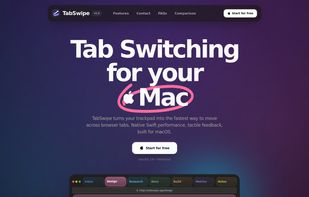
TabSwipe turns your trackpad into the fastest way to move across browser tabs. Native Swift performance, tactile feedback, built for macOS.
Cost / License
- Pay once
- Proprietary
Platforms
- Mac
Features
Properties
- Lightweight
Features
- Ad-free
- No registration required
- Works Offline
- Sits in the MenuBar
- Touch Gestures
TabSwipe News & Activities
Highlights All activities
Recent activities
TabSwipe information
No comments or reviews, maybe you want to be first?
What is TabSwipe?
TabSwipe turns your trackpad into the fastest way to move across browser tabs. Native Swift performance, tactile feedback, built for macOS.
Packed in:
- Fluid tab switching: Smoothed gesture accumulation keeps every swipe continuous instead of jumpy or over-eager.
- Haptic feedback: Feel a subtle click when you land on a tab or hit the edge of the stack.
- Browser awareness: TabSwipe watches the frontmost app and only intercepts gestures where it should.
- Swipe gestures: Vertical, horizontal, or both. Tune the gesture to the way your hand already moves.
- Sensitivity controls: Adjust pixels-per-tab until the motion feels exactly right on your trackpad.
- Continuous scroll: Wrap forever or stop at the edge with a satisfying thunk. Your tabs, your rules.
- Menu bar friendly: Hide the Dock icon, hide the menu bar icon, and keep the utility as tucked away as you want.
- Blazing-fast native app: Built in Swift with low-level event handling, so it stays light on CPU, memory, and battery.
Set it once. Forget it’s there. Miss it immediately when it’s gone.
TabSwipe is built for people who live in tab-heavy browsers all day and want the fastest path between them.


