




Syntax-coloring for your code snippets
Like
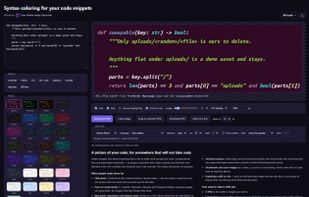
Browser-based utility for turning source snippets into syntax-highlighted images or colored HTML. Configure language, theme, font, dimensions, line numbers, and selected line ranges, then download PNG or SVG, copy an image, or paste styled text without uploading source.

Cost / License
- Free
- Proprietary
Since
- New
Platforms
- Online

Features
Highlights All activities
Syntax-coloring for your code snippets News & Activities
Recent activities
- Paul updated Syntax-coloring for your code snippets
 Mauricio B. Holguin added Syntax-coloring for your code snippets as alternative to Ray.so, Karbonized, CodeSnap.dev and termshot
- Passani added Syntax-coloring for your code snippets
- Mauricio B. Holguin updated Syntax-coloring for your code snippets
 Passani added Syntax-coloring for your code snippets as alternative to Carbon, Source Code Shots, Petrify, Snippet - Code Sharing and 6 more


Developed by
ScientiaMobile, Inc.Licensing
Proprietary and Free product.Alternatives
14 alternatives listedBadge
Get an embeddable badge for Syntax-coloring for your code snippetsSupported Languages

No comments or reviews, maybe you want to be first?