

SureClip icon
SureClip icon

SureClip

Clips full articles into Notion as editable blocks retaining code, tables, and math using the official API, exports pages or selected sections as clean Markdown, no signup required, privacy by design, Pro adds offline search, auto-fill, YAML support, and highlighting.
SureClip screenshot 1

Cost / License

  • Freemium (Pay once)
  • Proprietary

Platforms

  • Google Chrome
  • Mozilla Firefox
0likes
0comments
0articles

Features

  1.  Web Clipper
  2.  Support for MarkDown
  3. Notion icon  Notion Integration
  4.  Browser extension

SureClip News & Activities

Highlights All activities

Recent activities

SureClip information

  • Developed by

    DE flagAdrian Kurz
  • Licensing

    Proprietary and Freemium product.
  • Pricing

    One time purchase (perpetual license) that costs $22 + free version with limited functionality.
  • Alternatives

    6 alternatives listed
  • Supported Languages

    • English
SureClip was added to AlternativeTo by Adrian-Kurz on and this page was last updated .
No comments or reviews, maybe you want to be first?

What is SureClip?

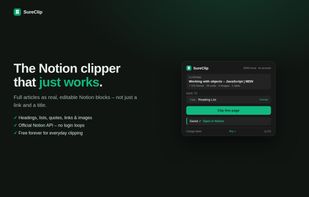
SureClip saves full articles into Notion as real, editable blocks – headings, lists, code blocks with syntax language, tables, and even math equations. Not just a link and a title.

Unlike most clippers, SureClip converts the page into Notion's native block format via the official Notion API. Code stays code, tables stay tables, formulas arrive as real LaTeX equations. It also handles modern documentation sites that render content inside web components (like MDN) – pages where other clippers save an empty box.

SureClip also works as a Markdown exporter, no Notion required: one shortcut (Alt+Shift+M) copies any page as clean Markdown to your clipboard. A pick mode (Alt+Shift+P) lets you click-select just the sections you want – in your click order – and copy them, download them as a .md file, or clip them to Notion.

Privacy is the core design principle: no account, no servers, no tracking. Your Notion token and your clips never leave your browser except to go to Notion's own API. The extension only requests access to the active tab and api.notion.com – it cannot read your browsing history or other websites.

The free version clips unlimited pages forever. Pro is a one-time purchase (no subscription) and adds per-site save targets, database property auto-fill, YAML frontmatter on Markdown exports (Obsidian-ready), highlight collection, clip notes, and Instant Recall – offline full-text search across everything you've ever clipped.

