




Subscription Day Calendar
8 likes
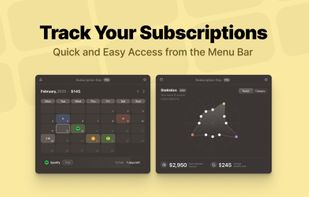
Monitor recurring payments with calendar views, reminders, and smart notifications. Analyze yearly and monthly spending, categorize subscriptions, manage multiple lists, import manually, use multi-currency support, and sync across iOS, Mac, and iPad devices.

Cost / License
- Freemium (Pay once)
- Proprietary
Application typeApplication types
Platforms
- Mac
- iPhone
- iPad


Features
Highlights All activities
Subscription Day Calendar News & Activities
Recent News
No news, maybe you know any news worth sharing?
Share a News Tip
Recent activities
 GabrielDja added Subscription Day Calendar as alternative to Vexly
 Paul removed Subscription Day Calendar as alternative to Monarch
 nasral00 added Subscription Day Calendar as alternative to Cardinate
 MARSHALL SINGH added Subscription Day Calendar as alternative to Marvin Money
 StormVoyager added Subscription Day Calendar as alternative to Flying Bills
 Matthias-Gronewold added Subscription Day Calendar as alternative to Omnipacto
 wojo1086 added Subscription Day Calendar as alternative to Atom Budget
- dablity added Subscription Day Calendar as alternative to SubCrisp
- Scott Watkins added Subscription Day Calendar as alternative to Forecents
 nucleusp added Subscription Day Calendar as alternative to Subziez


Developed by
 Appps
Appps Licensing
Proprietary and Freemium product.Pricing
One time purchase (perpetual license) ranging between $7 and $27 + free version with limited functionality.Alternatives
61 alternatives listedBadge
Get an embeddable badge for Subscription Day CalendarSupported Languages
AlternativeTo Categories
Business & Commerce, Office & ProductivityApple AppStore
- Updated
- 4.84 avg rating


Comments and Reviews
Best subscription tracker