stlfixtool icon
stlfixtool icon

stlfixtool

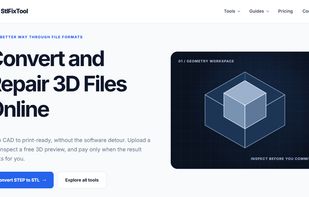
StlFixTool converts and repairs 3D and CAD files in the browser — STEP to STL, STL to STEP, OBJ, GLB and 3MF in both directions, plus mesh repair for holes, non-manifold edges, duplicate faces and inconsistent normals.
stlfixtool screenshot 1

Cost / License

  • Freemium (Pay once)
  • Proprietary

Platforms

  • Online
0likes
0articles
Save

Features

  1.  No registration required
  2.  No Coding Required
  3.  Live Preview
  4.  3D Sculpting
  5.  3D Printing
  6.  File conversion

stlfixtool News & Activities

Highlights All activities

Recent activities

stlfixtool information

  • Developed by

    Unknown
  • Licensing

    Proprietary and Freemium product.
  • Pricing

    One time purchase (perpetual license) ranging between $3 and $6 + free version with limited functionality.
  • Alternatives

    6 alternatives listed
  • Badge

    Get an embeddable badge for stlfixtool
  • Supported Languages

    • English
stlfixtool was added to AlternativeTo by Amine Fakiri on and this page was last updated .

No comments or reviews, maybe you want to be first?

What is stlfixtool?

StlFixTool converts and repairs 3D and CAD files in the browser — STEP to STL, STL to STEP, OBJ, GLB and 3MF in both directions, plus mesh repair for holes, non-manifold edges, duplicate faces and inconsistent normals.

What separates it from other converters is the verification pass. Before you pay, every job reports watertightness, manifold edges, solid count in versus out, and triangle count, alongside a 3D preview of the actual result. Converting an assembly, many tools weld coincident vertices across separate solids — the file downloads and opens, but your CAD package treats it as a surface body and most operations stop working. StlFixTool keeps solids topologically separate and shows you the numbers so you can judge the result rather than discover the problem later.

It does not reverse-engineer. Converting a mesh to STEP produces a faceted BREP, not a parametric model with a feature tree, and that limitation is stated on every relevant page rather than glossed over.

Preview is free. Viewing and editing are free. Downloads are $2.99–$5.99 per file. No account, no subscription. Unpurchased files are deleted within an hour.