Stemdeck icon
Stemdeck icon

Stemdeck

Stemdeck is a modern stem extraction platform for musicians, producers and hobbyists, designed to isolate vocals, drums, bass, piano and guitar for practice, transcription, remixing, and creative audio workflows through a modern and interactive interface.
Stemdeck screenshot 1

Cost / License

Platforms

  • Windows
  • Mac
  • Linux
0likes
0comments
0articles

Features

Properties

  1.  Privacy focused

Features

  1.  Ad-free
  2.  No registration required
  3.  Dark Mode
  4.  Works Offline
  5.  No Tracking

Stemdeck News & Activities

Highlights All activities

Recent activities

Stemdeck information

  • Developed by

    Unknown
  • Licensing

    Open Source (Apache-2.0) and Free product.
  • Written in

  • Alternatives

    24 alternatives listed
  • Supported Languages

    • English

GitHub repository

  •  2,844 Stars
  •  251 Forks
  •  8 Open Issues
  •   Updated  
View on GitHub
Stemdeck was added to AlternativeTo by Paul on and this page was last updated .
No comments or reviews, maybe you want to be first?

What is Stemdeck?

Free, local stem separation. No account. No upload. No subscription.

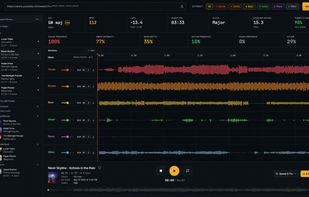
Drop in an MP3, WAV, FLAC, OGG/Opus, MP4, or M4A file, or paste a YouTube URL, and StemDeck splits the audio into up to six stems (vocals, drums, bass, guitar, piano, other). Play them back in a DAW-style multitrack mixer: mute, solo, balance levels, zoom the waveform, loop a region, and export individual stems or a custom mix. Everything runs locally on your own machine.

Features:

  • 6-stem separation via Demucs htdemucs_6s, with auto-detection of the best Torch device (CUDA on NVIDIA, MPS on Apple Silicon, CPU fallback).
  • YouTube and local file import. Paste a YouTube URL or drop an MP3, WAV, FLAC, OGG/Opus, MP4, or M4A directly onto the import bar.
  • DAW-style waveform editor with min/max sample rendering across all stems, shared normalization, zoom in/out/Fit, loop drag on the ruler, gold playhead overlay, and stem-aligned lanes.
  • Stem subset extraction. Click stem chips to choose which stems to keep. Clicking from "all selected" snaps to "only this one"; subsequent clicks add or remove.
  • "Original" backing track. When you pick a subset, a 7th lane contains the complement (full song minus selected stems), perfect for A/B reference without doubling.
  • Downloadable selected mix. A single mix.wav of just your selected stems, summed via ffmpeg amix.
  • Per-stem mixer with volume fader, mute, solo, and "monitor" (solo-only) per stem. State syncs between the preview mixer and the stems sidebar.
  • Live VU meters per stem. Post-gain RMS via Web Audio analysers with peak hold and slow falloff.
  • Song analysis including BPM (librosa beat tracker), key, scale, and confidence (Albrecht-Shanahan profiles), integrated LUFS (BS.1770), and sample peak in dBFS.
  • Cancellable jobs. Cancel mid-pipeline and the runner terminates the active subprocess immediately, deletes the partial job dir, and returns to ready.
  • Library panel with folder-based track organisation, drag-and-drop, search, and trash.

Official Links