





Sruk
Like
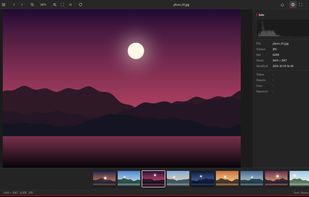
Lightweight Windows image viewer for browsing, selecting and organizing photos. Supports JPG, PNG, GIF/APNG, TIFF, ICO and RAW via LibRaw, with RAW+JPG pairing, thumbnail selection, histogram, shooting information, clipboard actions, and keyboard shortcuts.

Cost / License
- Free
- Proprietary
Platforms
- Windows


Features
Highlights All activities
Sruk News & Activities
Recent activities
- Ciaon updated Sruk
- Ciaon added Sruk
- Fla updated Sruk
 Ciaon added Sruk as alternative to IrfanView, ImageGlass and FastStone Image Viewer
Developed by
 Ciaon
Ciaon Licensing
Proprietary and Free product.Alternatives
10 alternatives listedBadge
Get an embeddable badge for SrukSupported Languages


No comments or reviews, maybe you want to be first?