DiskWave is a free utility to help you determine where most of your hard drive space is consumed.

SpaceMonger is described as 'Treemapping tool for hard disks and file systems. It scans, maps, and manages PC, network, and cloud storage. It can copy, move, and delete files to free up storage space. It helps locate large files and folders quickly with Treemap visuals and finds files by' and is a disk usage analyzer in the system & hardware category. There are more than 50 alternatives to SpaceMonger for a variety of platforms, including Windows, Mac, Linux, BSD and Flathub apps. The best SpaceMonger alternative is WinDirStat, which is both free and Open Source. Other great apps like SpaceMonger are WizTree, Baobab Disk Usage Analyzer, TreeSize and Filelight.
DiskWave is a free utility to help you determine where most of your hard drive space is consumed.

"TDP x-Ray is a visual tool intended for disk space administration. Displaying a clear graph showing the disk occupation, in which it is apparent immediately which files and folders occupy the most space.


TreePie : a simple way to display disk usage. It shows the distribution of size in a tree of directories by using an interactive multilevel pie (sunburst diagram). Really small and simple.


FolderSize is intended to be a simple application to determine what folders takes up place on your machine and to present it to you graphically.

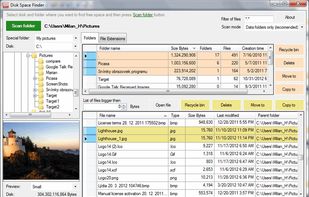
Disk Space Finder helps visualize your data to find wasted space. It shows you a graphical diagram of what is takeing up your space.

GetFoldersize allows you to determine the size of folders and sub-folders on your hard drive. Determine which programs are taking up your hard disk space. For each folder, you can display the total file size and the number of files and subfolders in the folder.


Disk Usage Analyzer - a free program to analyze disk space of the computer. It helps you to quickly and easily determine the size of folders on your computer, as well as the number of files they contain.

i.Disk scans directory trees and displays the total space used by each directory in an easy to use form.


Helps you figure out where all that hard drive space has gone on your computer. Visually displays the size of each folder in the form of a bar graph.