





Pangalin Space Manager
Like
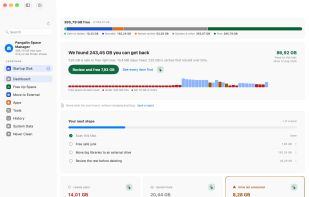
Pangalin Space Manager shows exactly where your Mac's space went, down to individual folders, and breaks down what macOS calls "System Data". It sorts everything into what's safe to clean, what's worth moving to an external drive, and what needs a look...

Cost / License
- Freemium (Subscription)
- Proprietary
Application typeApplication types
Platforms
- Mac


Features
Highlights All activities
Pangalin Space Manager News & Activities
Recent activities
- pangalin updated Pangalin Space Manager
- pangalin updated Pangalin Space Manager
- pangalin added Pangalin Space Manager
 pangalin added Pangalin Space Manager as alternative to DaisyDisk, GrandPerspective, OmniDiskSweeper, CleanMyMac and 1 more


Developed by
 Pangalin
 Licensing
Proprietary and Freemium product.Pricing
Subscription that costs $25 per year + free version with limited functionality.Alternatives
5 alternatives listedBadge
Get an embeddable badge for Pangalin Space ManagerSupported Languages


No comments or reviews, maybe you want to be first?