SottMeet icon
SottMeet icon

SottMeet

Real-time two-way voice translation for Google Meet and Microsoft Teams calls: you speak your language, the other side hears theirs.
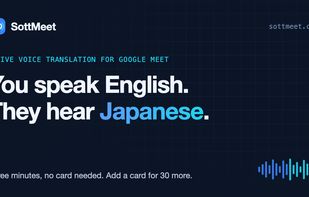
You speak English, they hear Japanese: live two-way voice translation in Google Meet

Cost / License

  • Usage-based
  • Proprietary

Application type

Platforms

  • Google Chrome  Works on Google Meet and Microsoft Teams in the browser
0likes
0articles
Save

Features

Features

Highlights All activities

SottMeet News & Activities

Recent activities

SottMeet information

  • Developed by

    SottMeet
  • Licensing

    Proprietary and Commercial product.
  • Pricing

    Usage-based pricing (pay per credit or per use).
  • Alternatives

    4 alternatives listed
  • Badge

    Get an embeddable badge for SottMeet
  • Supported Languages

    • English
    • Chinese
    • Japanese
    • Korean
    • Thai
    • Vietnamese
    • Spanish
    • French
    • German
SottMeet was added to AlternativeTo by Page-Deng on and this page was last updated .

No comments or reviews, maybe you want to be first?

Official Links

What is SottMeet?

SottMeet is a Chrome extension that interprets your Google Meet and Microsoft Teams (web) calls in real time. When you speak, the other person hears you in their language in a natural AI voice about a second later; when they speak, you hear them in yours. Live subtitles show both sides of the conversation.

  • Voice, not just captions, in both directions
  • Any pair of 19 languages (for example Chinese to Thai or Japanese to Spanish), not only to and from English; understands 70+ languages
  • Only you install it: other participants join as usual and need no extension or account
  • Works with any Google account, including free Gmail; no Workspace or Copilot license needed
  • Pay per minute with prepaid credits and no subscription; 5 free minutes to try
  • Interrupt a long translation anytime and mix in the speaker's real voice
  • Audio is translated live and discarded; meetings are never recorded

Works in Chrome on Google Meet and on Microsoft Teams in the browser. The Teams desktop app and Zoom are not supported yet.

SottMeet Videos