Sonder Sign is an electronic signature service built to make sending and signing documents straightforward, whatever the document is for. From freelance contracts to school permission slips and volunteer agreements, it brings different signing needs into one familiar workflow, with both the sender and signer in mind.
Send a document to one person or many, have recipients sign in sequence, or give everyone a separate copy to complete. These options use the same request builder, so senders can adapt the process to their agreement without learning a different way to prepare it.
Two sending modes support different situations:
• Same File: multiple recipients sign one shared document, such as a contract between several parties.
• Individual Copies: each recipient receives a private copy to complete, such as a consent form sent to a group of participants.
Either mode counts as one request, including when sending individual copies to multiple recipients. This lets senders prepare a form once and distribute it to a group without creating a separate request for each person.
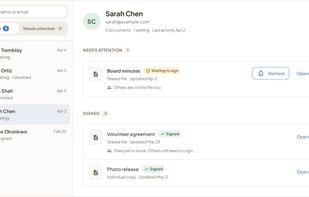
Recipients open their signing link and complete the document without creating an account. Senders can place signature, initials, text, date and checkbox fields, reuse templates, set signing order, send reminders and track progress. Audit trails provide a record of the signing activity.
Sonder Sign serves individuals and organizations with recurring signing needs. Solo plans support individual senders, while Teams provides access for organizations with multiple senders.
Developed in Canada by Papersheep, Sonder Sign offers an ongoing free plan with no credit card required, alongside paid individual and team subscriptions.







 papersheep added Sonder Sign as alternative to DottedSign, Adobe Acrobat Sign, DocHub, Adobe Fill & Sign and 47 more


 Papersheep


No comments or reviews, maybe you want to be first?