

Sofaflick icon
Sofaflick icon

Sofaflick

 Like

Send videos from web pages to your smart TV or Chromecast with one click. Works with DLNA TVs that have no Cast, through a small desktop app.
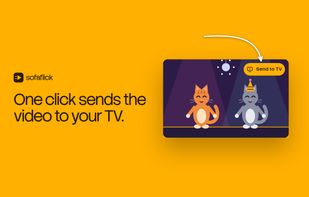
The Send to TV button sits right on the video. One click and it plays on your TV.

Cost / License

  • Pay once
  • Proprietary

Application type

Since

  • New

Platforms

  • Windows
  • Linux
  • Google Chrome
  • Mozilla Firefox
0likes
0articles
Save

Features

Properties

Features

Highlights All activities

Sofaflick News & Activities

Recent activities

Sofaflick information

  • Developed by

    PL flagSofaflick
  • Licensing

    Proprietary and Commercial product.
  • Pricing

    One time purchase (perpetual license) that costs $12.
  • Alternatives

    3 alternatives listed
  • Badge

    Get an embeddable badge for Sofaflick
  • Supported Languages

    • English
    • German
    • French
    • Spanish
    • Italian
    • Polish

AlternativeTo Category

Video & Movies
Sofaflick was added to AlternativeTo by bit9 on and this page was last updated .

No comments or reviews, maybe you want to be first?

What is Sofaflick?

Sofaflick puts a TV button on videos on web pages. Press it and the video plays on your smart TV, Chromecast or Google speaker. No phone, no cables, no account.

Browsers can cast only to Google Cast devices. Many smart TVs from Samsung, LG, Sony and Philips have no Cast but do accept video over DLNA, which a browser cannot use. Sofaflick is a browser extension plus a small desktop app that finds those TVs on your home network and plays the video on them. Chromecast and Google TV work too.

Features

  • A TV button right on videos on X and TikTok.
  • On other pages, send the page's video from the toolbar button or the right click menu, when the page has plain video files or standard streams (HLS), including many live streams.
  • Pause, resume and stop from the browser.
  • Full HD by default, with an automatic fallback to a smaller picture when the TV cannot play it.
  • Pick a default TV, or add one by its IP address when the network search does not find it.
  • No account. Video addresses and device names stay on your computer and home network.

Pricing The first 30 sends are free, each up to 2 minutes, so you can check it works with your TV. After that, a one-time payment unlocks it for good. No subscription.

Sofaflick does not bypass DRM or logins. Protected videos are not played.

Requires the free Sofaflick app for Windows or Linux (macOS coming soon) and the extension for Chrome or Firefox.