SnapView is a fast, intuitive image viewer for macOS, built to make photo viewing and comparison feel easy.
It is stronger than a basic viewer for folder browsing and comparison, while staying lighter than a heavy photo management app. With a fast, intuitive flow and keyboard-friendly controls, you can review, compare, and organize many images without slowing down.
¦ Easy photo viewing
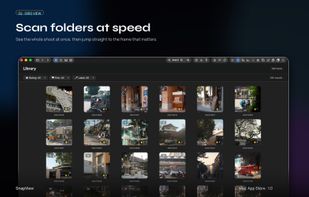
Open folders, images, and ZIP archives directly, then switch between Main View, Grid View, Filmstrip View, and Manage View depending on the task. MP4, MOV, and M4V videos can also be previewed in the same workflow.
¦ Fast comparison and review
Compare similar photos side by side, keep a reference image fixed, and mark files with ratings, color labels, Pick, or Reject. RAW+JPG pairing helps keep related files together.
¦ Practical review tools
EXIF, histogram, Quick Check, on-device OCR, image export, and date/time or GPS correction are available when you need them during review.
¦ Fits existing workflows
Finder tags and Lightroom-friendly XMP sidecars help keep ratings, color labels, and Pick states useful outside SnapView.
Key features
- Main / Grid / Filmstrip / Manage views
- Folder, image, and ZIP browsing
- MP4, MOV, and M4V video preview
- RAW+JPG pairing
- Compare / Reference Compare
- Ratings, color labels, Pick/Reject
- EXIF, histogram, and Quick Check
- OCR highlights on images with click-to-copy
- JPEG/PNG export presets
- Date/time and GPS correction
- Finder tags and XMP sidecar support







 YOUNGCHANG JO


No comments or reviews, maybe you want to be first?