Stop forgetting things, stop letting food go bad, and start getting more done.
Make your life a whole lot easier with SnapRemind by simply taking screenshots and photos to remind yourself of things.
What can SnapRemind help you with?
- Keep track of food expiration dates
- Screenshot a product online to buy later
- Visual grocery/shopping list
- Screenshot an email to reply to later
- Remind yourself which plant should be watered tomorrow
- Take a selfie to remind yourself later how beautiful you are
- And much more, the possibilities are endless!
For iPad users, SnapRemind is fully compatible with Split View, allowing you to add reminders from anywhere, anytime.
SIMPLE AND CLEAN
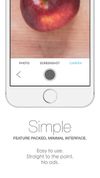
Extremely minimal interface and easy to use. It takes just 3 steps to add an item: Take a photo or add an image, give it a title, and set reminder date and time. That’s it!
FOLDERS?
Group your reminders for easy access. Have a folder for expirations, work, home, school, shopping, etc. (Available after purchasing in-app upgrade)
SMART
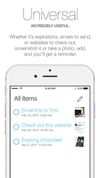
SnapRemind automatically sorts your items according to reminder date. That’s why you’ll see the most recent upcoming reminders on top of the list. Oh, and the app automatically deletes completed tasks for you every night, convenient huh.
?NOTIFICATIONS
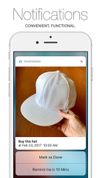
Integrated with iOS 10 notifications, your screenshots and photo reminders show up when you need them. Upon receiving a notification, you can check it off right away or tell the app to remind you later without needing to open the app.
In app purchase upgrade features:
- SnapRemind everything! Add an unlimited number of photo reminders.
- Stay organized with folders.
- Use any image from your photo library to set as a reminder.
- Personalize SnapRemind, change theme color.
“It’s a visual world and people respond to visuals.” - Joe Sacco