Smart Photo Auto-Rotate is a Windows desktop utility designed to automatically correct mixed photo orientations across an entire folder.
It is especially useful for scanned photos, which often do not contain reliable EXIF orientation data. Instead of relying only on metadata, Smart Photo Auto-Rotate analyzes the visual content of each image to determine whether it appears upright, rotated 90 degrees, upside down, or rotated in the opposite direction.
That makes it well suited for scanned family photos, inherited collections, archival images, and other folders where photos may have been scanned in different directions.
Unlike traditional batch-rotation tools that apply the same angle to every image, Smart Photo Auto-Rotate evaluates each photo individually. Images that need correction are rotated automatically, while uncertain photos are left unchanged for review rather than being guessed incorrectly.
It also works with ordinary digital image files, so it can be useful for any folder containing a mix of sideways and upside-down photos.
Features include:
- Automatic orientation detection for each image
- Especially useful for scanned photos without reliable EXIF orientation data
- Processes an entire folder in one run
- Corrects 90°, 180°, and 270° rotations
- Leaves uncertain images unchanged for review
- JPEG rotation with no quality loss
- Photos are processed locally on your computer
- Supports JPG, JPEG, PNG, TIFF, TIF, and BMP
- Windows 10 and Windows 11
- Free trial for up to 100 photos
- One-time purchase for the full version with no subscription
Smart Photo Auto-Rotate was created by Photo Digitizer, a professional photo scanning and digitization service, to solve a repetitive real-world problem encountered when working with large collections of scanned photographs.





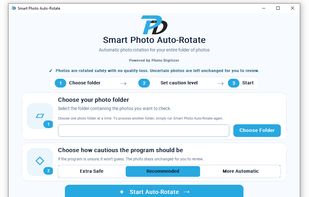


 Photo-Digitizer added Smart Photo Auto-Rotate as alternative to JPEG Lossless Rotator, Retoucher Online Image Flipper, digiKam, XnView MP and 2 more
 Photo Digitizer


No comments or reviews, maybe you want to be first?