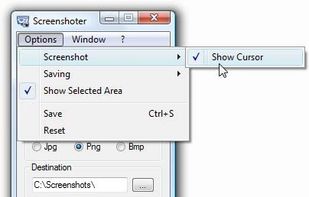
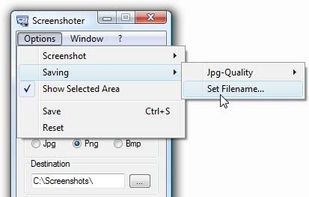
Every annoying feature is consistently excluded. Make a screenshot with a click on the button or by pushing the "Print Screen" key and it will be directly saved as an image - thats it!


Slingshot Screenshots is described as 'Slingshot streamlines screen shot sharing. Just take a screen shot and paste the link' and is a screenshot capture tool in the photos & graphics category. There are more than 25 alternatives to Slingshot Screenshots for a variety of platforms, including Windows, Mac, Web-based, Linux and Google Chrome apps. The best Slingshot Screenshots alternative is ShareX, which is both free and Open Source. Other great apps like Slingshot Screenshots are Snipping Tool, FastStone Capture, PicPick and Lightshot.
Every annoying feature is consistently excluded. Make a screenshot with a click on the button or by pushing the "Print Screen" key and it will be directly saved as an image - thats it!


7capture is free screen capture software for Windows 7, Vista and XP. 7capture automatically handles complicated transparency problems such as rounded corners and Aero semi-transparent windows backgrounds.
No matter what Windows version you are using, 7capture will do it's m.

Free screen capture, images, files and clipboard sharing service. Easy web publishing client.

Glui is the simplest way to capture, annotate and share screenshots.
Key features: • Capture crosshair, window or fullscreen screenshots, or drag and drop existing images. • Annotate with arrow, rectangle, pen and text tool. • Instantly upload to .


Schirmfoto is the easiest way of creating screenshots. Schirmfoto integrates itself into your Windows system by adding a new button in the title bar of each window. Clicking this icon will create a screenshot for you.


InstantShot! offers classical screenshot functionality for capturing the whole screen, a portion of it or a window and also the option to make timed screenshots or to make delayed captures over time. It offers a wide range of preferences and options to fit everyone's needs.


Right click on any web page, frame or iframe, click "Save Page As Image..." and then resize the selection around the piece you want to save.


Your screenshots are automatically uploaded on your web storage. The URL is in the pasteboard when the upload is finished. / FileShuttle support FTP and SFTP protocols to upload your files on your own web storage. / Drop a file on the dock icon to upload the file and get the URL.
TeenyGrab is a free alternative to TinyGrab. TinyGrab is a popular application for quickly uploading screenshots, and sharing them. The only problem is, the full version (with features such as uploading to a custom FTP server) costs $$$.