Sinema icon
Sinema icon

Sinema

Your private media collection deserves a big screen. Sinema is a sleek Android TV client for Stash: browse, search, and stream from the couch with D-pad controls, PIN lock, and seamless resume.
Sinema screenshot 1

Cost / License

Platforms

  • Android TV
Sinema screenshot 1
Sinema screenshot 2
+1
Sinema screenshot 3
0likes
0comments
0alternatives
0articles

Features

Properties

  1.  Privacy focused

Features

  1.  Ad-free
  2.  No registration required
  3.  Works Offline
  4.  Dark Mode
  5.  No Tracking
  6.  Favorites
  7.  Autoplay
  8.  Scene Management
  9.  Support for subtitles
  10.  Integrated Search
  11.  Resume playback

Sinema News & Activities

Highlights All activities

Recent activities

  • POX added Sinema

Sinema information

  • Developed by

    US flagVisorCraft
  • Licensing

    Open Source (GPL-3.0) and Free product.
  • Alternatives

    0 alternatives listed
  • Supported Languages

    • English

AlternativeTo Category

Video & Movies

GitHub repository

  •  25 Stars
  •  0 Forks
  •  0 Open Issues
  •   Updated  
View on GitHub
Sinema was added to AlternativeTo by Paul on and this page was last updated .
No comments or reviews, maybe you want to be first?

What is Sinema?

An Android TV client for Stash — the self-hosted media organizer you already know and love. Built for the couch · controlled with a remote · nobody's business but yours.

Features:

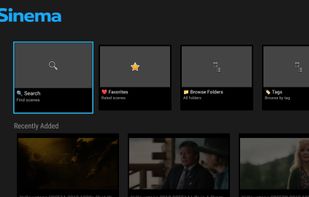
  • Home Screen — Continue Playing, Recently Played, Recently Added, Favorites.
  • Metadata Browsing — Browse by Tags, Performers, and Studios with scene counts and images.
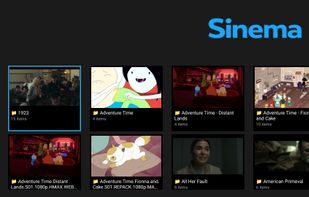
  • Folder Browser — Navigate your library by directory structure.
  • Search — Find scenes by filename with sortable results.
  • Resume Playback — Pause anywhere, pick up where you left off (persisted to Stash).
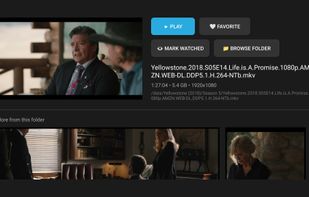
  • Scene Detail — Thumbnail, metadata, date, rating, studio, tag/performer chips. Tap chips to browse related scenes.
  • Subtitles & Tracks — Select subtitle tracks (SRT/VTT), audio tracks, and playback speed.
  • Scene Markers as Chapters — Jump between markers via chapters dialog or media keys.
  • Play All & Autoplay — Queue all scenes in a folder or entity grid; auto-advances when one ends.
  • Favorites — One-tap favorite/unfavorite, synced with Stash ratings. Folders with favorited content show a heart overlay.
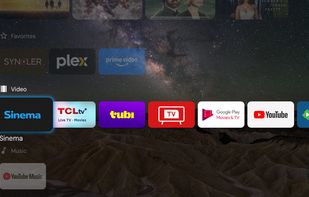
  • Android TV Channels — Optional "Watch Next" (Continue Watching) and "Recently Added" rows on the launcher home screen (opt-in, privacy-first).
  • Multi-Server Profiles — Switch between multiple Stash servers from Settings.
  • PIN Lock — Optional 4-digit PIN to keep things private. Log Out locks the app until PIN is re-entered.
  • D-pad Native — Built for TV remotes, no touchscreen needed.
  • Dark Theme — Easy on the eyes for late-night viewing.

Official Links