



Simple Mail
Simple Mail is a mail client for Firefox. It allows you to get notified, read and write messages for multiple email accounts inside Firefox.
Cost / License
- Free
- Proprietary
Application type
Alerts
- Discontinued
Platforms
- Mac
- Windows
- Linux
- Firefox
The last update is from 2008 and the Firefox extension doesn't exist anymore.

Features
Tags
Simple Mail News & Activities
Recent activities


Simple Mail information
Developed by
telega and TechnalXSLicensing
Proprietary and Free product.Alternatives
47 alternatives listedSupported Languages
- English
AlternativeTo Category
Office & Productivity


What is Simple Mail?
Simple Mail is a mail client for Firefox. It allows you to get notified, read and write messages for multiple email accounts inside Firefox.
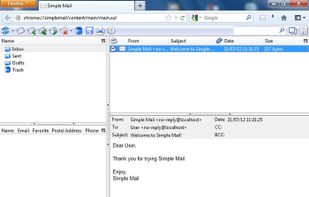
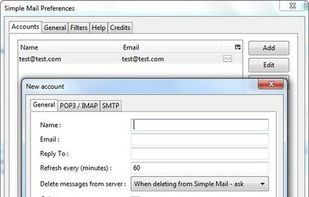
Usage: Configure one or more accounts in Preferences, set account refresh time and get notified of new mail. When new mail arrives, Simple Mail shows new messages count in status bar. You can click Simple Mail icon to open received messages in a separate browser tab. Also Simple Mail has a toolbar button, which you can put on toolbar to access SM easily.
Features:
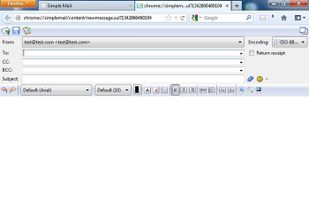
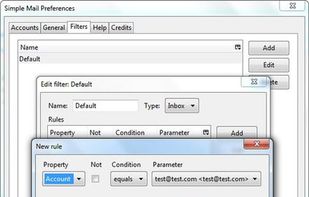
Accounts Multiple email accounts POP3/IMAP/SMTP protocols Automatic checking on specified timeout Address Book Autocomplete box suggests recipient names/addresses as you start typing them Groups of contacts Display Address book in main Simple Mail window Folders Create custom folders Drag-n-drop folders and messages into folders Use filters to automatically sort incoming messages into folders New message composition WYSIWYG editor. Customize font/color of your message Smiles. Use predefined smiles or easily add your own URLs are automatically converted to hyperlinks as you type them Appearance Right-click on toolbar to choose "icons/text/icons and text" mode Additional columns for folders can be turned on (unread/total/size) Switch window layout by clicking on an icon in the top-right corner Other Store your mailbox on a Flash drive Sort messages by clicking on column headers