Sill icon
Sill icon

Sill

 Like

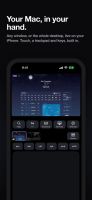
Sill shows a window from your Mac, or its whole desktop, on your iPhone or iPad, and lets you use it with touch, a keyboard, a touchscreen trackpad or Apple Pencil. It streams straight from your Mac to your device over your own network, so there is no account to create and no...
Sill screenshot 1
Sill screenshot 2
+3
Sill screenshot 3

Cost / License

Application type

Platforms

  • iPhone
  • iPad
  • Mac
0likes
0articles
Save

Features

Properties

Features

Highlights All activities

Sill News & Activities

Recent activities

Sill information

AlternativeTo Categories

Network & Admin, OS & Utilities, Remote Work & Education

GitHub repository

  •  34 Stars
  •  2 Forks
  •  9 Open Issues
  •   Updated  
View on GitHub
Sill was added to AlternativeTo by Paul on and this page was last updated .

No comments or reviews, maybe you want to be first?

Official Links

What is Sill?

Sill shows a window from your Mac, or its whole desktop, on your iPhone or iPad, and lets you use it with touch, a keyboard, a touchscreen trackpad or Apple Pencil. It streams straight from your Mac to your device over your own network, so there is no account to create and no server in between. You pair each device once, and every connection is encrypted. Both parts are free: the Sill app for iPhone and iPad, and Sill for Mac.

Streaming:

  • Any single Mac window, or the whole Desktop, on your iPhone or iPad
  • Hardware HEVC video, up to 120 fps on ProMotion screens (60 elsewhere); the rate follows each device
  • Seven bitrate quality presets, from Low (4 Mbps) to Extreme (150 Mbps), plus Resolution, a frame-rate limit and Prioritize Encoding Speed
  • Text size (Aa): resizes your Mac window to fit your screen, so text is the size you want
  • Optional virtual display: a window streams from its own HiDPI display, sized to your device, and keeps updating even when covered on your Mac; full-screen video works too

Controls:

  • Touch: tap to click, drag to scroll with momentum, touch and hold to right-click
  • Apple Pencil as the mouse, with hover
  • Software and hardware keyboards, with ⌘, ⌃ and ⌥ shortcuts, plus a key row with latching modifiers and a Spotlight key
  • Laptop layout when you hold the device upright: the picture on top, a key row and a trackpad (two-finger scroll, two-finger tap, hold then drag, three-finger gestures for Mission Control, App Exposé, switching Spaces, Apps and Show Desktop)
  • Dedicated iPhone and iPad layouts
  • Each Mac app's menus (File, Edit, View, etc) on your device, behind a Menus button
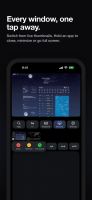
  • Window thumbnails: switch with a tap; hold one for close, minimize and full screen; drag to reorder
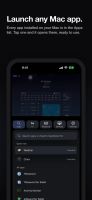
  • An Apps drawer: open windows and all installed apps, with search, and it launches apps

Connecting:

  • Finds your Mac automatically; each Mac has 4 modes: Wired, Wi-Fi, Direct or Remote
  • USB cable (Wired) support, and a live session moves between the cable and Wi-Fi without dropping
  • Direct Wireless Connection (Direct, optional), for when you and your Mac don't share a network
  • Remote Access from anywhere through your own VPN, such as Tailscale, or a port forward
  • Pairing: every connection encrypted with TLS 1.3; pair each device once by QR code or a 12-digit code, and a USB cable pairs by itself; Require pairing is on by default
  • Your Mac keeps its keys in the protected part of its keychain that only Sill can read