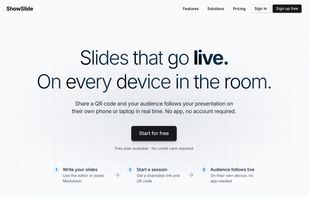
ShowSlide is a browser-based live presentation platform built around a simple idea: the presenter controls what the audience sees, and nothing else. Instead of screen sharing your entire desktop, ShowSlide pushes only your slides to viewers in real time, so your notes, private documents, email, and other open windows stay completely off-screen.
To join a session, audience members just open a link or scan a QR code in any browser. There's no app to install, no account to create, and no platform lock-in. Sessions work the same on phones, tablets, laptops, and desktops, which makes it well-suited for presentations to people outside your organization, such as clients, candidates, partners, students, or workshop attendees.
Beyond live sharing, ShowSlide can also generate slides automatically from your written content, turning notes or drafts into a polished, professionally laid-out deck without manual formatting. Other features include instant slide sync across all viewers, spotlighting specific content, collaborative editing, and built-in audience engagement and feedback tools.
Typical use cases include sales demos, client meetings, recruiting interviews, training sessions, classroom teaching, webinars, and any scenario where you want a frictionless way to present to an audience that isn't on your team or your tech stack.





 EU
EU




 Wingravity
No comments or reviews, maybe you want to be first?