
Shelf Game Library icon

Shelf Game Library

Windows game library manager unifying Steam, Epic, GOG, Ubisoft and itch.io, with trailers, automatic save backups and a fullscreen controller mode.
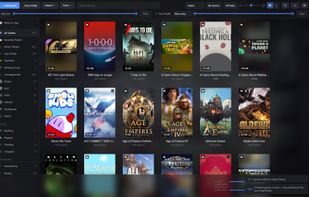
Shelf Game Library screenshot 1

Cost / License

  • Pay once
  • Proprietary

Platforms

  • Windows
1like
0articles
Save

Features

Features

Highlights All activities

Shelf Game Library News & Activities

Recent activities

Shelf Game Library information

  • Developed by

    Protagonist Labs
  • Licensing

    Proprietary and Commercial product.
  • Pricing

    One time purchase (perpetual license) that costs from $3.
  • Alternatives

    8 alternatives listed
  • Badge

    Get an embeddable badge for Shelf Game Library
  • Supported Languages

    • English

AlternativeTo Category

Gaming Software
Shelf Game Library was added to AlternativeTo by ProtagonistLabs on and this page was last updated .

No comments or reviews, maybe you want to be first?

What is Shelf Game Library?

Shelf gathers every game you have installed — Steam, Epic Games, GOG Galaxy, Ubisoft Connect, the itch.io app, and any folder you point it at — into a single window you can browse, sort and launch from.

It reads each launcher's own manifests and databases directly. No logins, no account, no background service, and nothing running behind it. On a library of several hundred games it opens in about a second.

Covers, genres, descriptions and screenshots are fetched in the background and cached locally: through Steam with no credentials at all, and with better coverage if you add free IGDB, RAWG or SteamGridDB keys. Trailers play on the tiles as you browse, or behind the whole window as a backdrop.

Beyond browsing, it looks after the library itself. It knows where thousands of games keep their save files and archives them when you finish playing, so a reinstall does not cost you progress. It backs up your library, settings and cached artwork on a schedule. It can move a game to another drive without breaking it, showing the copy speed and stopping cleanly halfway if you ask. And it measures what each game takes on disk, so you can find the biggest thing you have never played and remove it without leaving the app.

For deciding what to play there are filters on genre, tag, release year, size on disk and how long a game takes to finish, completion states, ratings, categories — including one that can sit behind a password — and a recommender that picks from games you have never started, weighted by what you actually play rather than by what you own.

Windows 10 or 11. Installs for the current user, so it never asks for administrator rights. No DRM: it is an installer, and it is yours.