


SFTP Drive
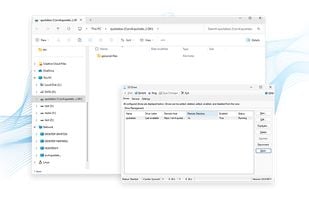
An easy-to-use utility that mounts remote file systems as Windows drives via SFTP. Once connected, you can browse and work with files as if they were stored on your local machine.
Cost / License
- Freemium (Pay once or Subscription)
- Proprietary
Platforms
- Windows

Features
- Support for SFTP
- Virtual Disk
SFTP Drive News & Activities
Recent activities
What is SFTP Drive?
Product Features
-Use your favorite file manager, such as Windows Explorer. -Choose from three authentication types: Password, Key-based, or both. -Additionally, three key types are supported: Authentication Agent (PuTTY or SSH), Load from file, and Security Token or Smart Card. -Store multiple connection profiles for quick and convenient connection. -Run as a Windows service or desktop application. -Supports all common directory and file operations such as move, copy, and rename in both Windows UI and the command line. -Choose to use SFTP Drive as a Desktop application or from the command line -Advanced profile settings that give you granular control over how you connect to your server.
Visit https://www.nsoftware.com/sftp/drive/ for more information
SFTP Drive information
Developed by
 /n Callback Technologies
 Licensing
Proprietary and Freemium product.Pricing
One time purchase that costs $0, and / or subscription that costs $0 per month + free version with limited functionality.Alternatives
19 alternatives listedSupported Languages
- English


Comments and Reviews
Disconnects constantly with "Connection lost due to error 10035"
Free for personal use since 2017 with all functions.
Really great tool! No need to buy WebDrive or ExpanDrive - use this, its better and freeware.