SepPDF Alternatives

SepPDF is described as '- You can split PDF file containing multiple pages into individualized single PDF files for each page' and is an app. There are more than 25 alternatives to SepPDF for a variety of platforms, including Windows, Linux, Mac, Web-based and Flathub apps. The best SepPDF alternative is PDF Arranger, which is both free and Open Source. Other great apps like SepPDF are PDF-XChange Editor, PDF24 Creator, PDFsam and Adobe Acrobat DC.

Copy a direct link to this comment to your clipboard
SepPDF alternatives page was last updated

Alternatives list

  1. Copy a direct link to this comment to your clipboard

    [The demo version adds a watermark to every page when you save the file.]

    Edit PDF files now! How do you change existing PDF files? You dont know how? It is easy to edit existing PDF files with PDF Editor! You can add text in any font you want or change existing text to correct.

    Cost / License

    • Freemium
    • Proprietary

    Application type

    Platforms

    • Windows
     
  2. Copy a direct link to this comment to your clipboard

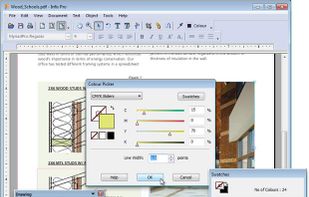
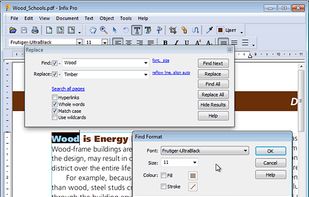
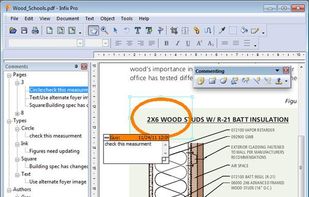
    Infix PDF editor lets you open, edit and save PDF files. It’s easy and quick – you can change text, fonts, images and more. And, unlike other PDF editors, it works like normal word processing software, so it’s really easy to use.

    87 Infix PDF Editor alternatives

    Cost / License

    • Paid
    • Proprietary

    Application types

    Platforms

    • Mac
    • Windows
     
  3. Copy a direct link to this comment to your clipboard

    Merge PDF files into a single document. Split PDF into multiple files following a custom pattern similar to Word printing. Combine encrypted PDF with just a few clicks.

    Cost / License

    • Freemium (Pay once)
    • Proprietary

    Application type

    Platforms

    • Windows
     
  4.  3 likes
    Copy a direct link to this comment to your clipboard

    PyPDF2 - A utility to read and write pdfs with Python.

    Cost / License

    • Free
    • Open Source

    Application type

    Platforms

    • Mac
    • Windows
    • Linux
     
  5. VivPDF Editor icon
     2 likes
    Copy a direct link to this comment to your clipboard

    It's virtually the fastest solution for users to edit PDF documents in any circumstances, all you need to do is several clicks!.

    Cost / License

    • Pay once
    • Proprietary

    Application type

    Platforms

    • Windows
     
  6. Copy a direct link to this comment to your clipboard

    Functions: Split pdf-files, Merge pdf-files together, Compose new PDF-Files while using individual sorting, customized patterns (similar to Word printing), etc. You can even append encrypted PDF files to another PDF document Faster than Java based PDF Split &a.

    Cost / License

    • Freemium
    • Proprietary

    Platforms

    • Windows
     
  7. Copy a direct link to this comment to your clipboard

    A tool for converting to/from PDF files. It can convert PDF to JPG, PNG, BMP, GIF, TIFF, and text and back. It can also split PDF files by page.

    Cost / License

    • Free
    • Proprietary

    Platforms

    • Windows
     
  8. Couturier icon
     2 likes
    Copy a direct link to this comment to your clipboard

    Couturier is a PDF merge application for the GNOME Desktop. It allows to merge multiple PDF documents and images into one single PDF document.

    Cost / License

    • Free
    • Open Source

    Application type

    Platforms

    • Linux
     
  9. Copy a direct link to this comment to your clipboard

    Cisdem PDFCreator for Mac lets you easily create PDF from Word, PowerPoint, EPUB, Text, RTFD, HTML, CHM, JPG, and PNG, etc. It can do both partial conversion of one single file and batch conversion, and even merged conversion with several files.

    Cost / License

    • Freemium
    • Proprietary

    Platforms

    • Mac
     
  10. Copy a direct link to this comment to your clipboard

    VeryPDF PDF Editor is an easy-to-use application designed for users familiar with Microsoft Office and similar applications. VeryPDF PDF Editor provides tools to enable you freely write your own comments to the PDF document and share the comments with others.

    Cost / License

    • Paid
    • Proprietary

    Application type

    Platforms

    • Windows
     
You are at page 3 of SepPDF alternatives