
ScrollWM icon
ScrollWM icon

ScrollWM

i3-compatible Wayland compositor (sway) with a PaperWM layout like niri or hyprscroller.
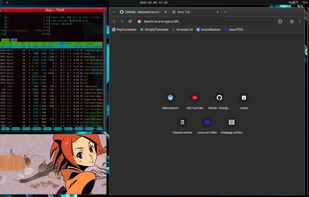
ScrollWM screenshot 1

Cost / License

  • Free
  • Open Source (MIT)

Platforms

  • Linux
  • Arch Linux
1like
0comments
0articles

Features

Properties

  1.  Lightweight

Features

  1.  No registration required
  2.  No Tracking
  3.  Works Offline
  4.  Ad-free
  5.  Support for Multiple Monitors

 Tags

ScrollWM News & Activities

Highlights All activities

Recent activities

ScrollWM information

  • Developed by

    dawsers
  • Licensing

    Open Source (MIT) and Free product.
  • Written in

  • Alternatives

    3 alternatives listed
  • Supported Languages

    • English

AlternativeTo Category

OS & Utilities

GitHub repository

  •  495 Stars
  •  13 Forks
  •  5 Open Issues
  •   Updated  
View on GitHub

Popular alternatives

View all
ScrollWM was added to AlternativeTo by Creative_joe on and this page was last updated .
No comments or reviews, maybe you want to be first?

What is ScrollWM?

i3-compatible Wayland compositor (sway) with a PaperWM layout like niri or hyprscroller.

Scroll is a Wayland compositor forked from sway. The main difference is that scroll only supports one layout, a scrolling layout similar to PaperWM, niri or hyprscroller.

It does have the following features:

  • Two monitors full support.
  • Animations: scroll supports very customizable animations.
  • scroll supports rounded borders and title bars, dimming of inactive windows, and dynamic shadows with blur.
  • Content scaling: The content of individual windows can be scaled independently of the general output scale.
  • Overview and Jump modes: You can see an overview of the desktop and work with the windows at that scale. There are two overview modes, one that shows all the windows on the workspace, and another one that shows all the workspaces on each monitor, both are completely interactive. Jump allows you to move to any window with just some key presses, like easymotion in some editors. There is also a jump mode to preview and switch to any available workspace. Jump also accepts window rules (criteria).
  • Workspace scaling: Apart from overview, you can scale the workspace to any scale, and continue working.
  • Lua scripting: scroll provides a lua API to script the window manager.
  • Several full screen modes: workspace, global, application and layout.
  • Trackpad/Mouse scrolling: You can use the trackpad or mouse dragging to navigate/scroll the workspace windows.
  • Portrait and Landscape monitor support: The layout works and adapts to both portrait or landscape monitors. You can define the layout orientation per output (monitor).
  • For ultra-wide displays, you can split a workspace in two and show them both at the same time (workspace split command).
  • Optionally, minimize windows to scratchpad.

Official Links