Parental controls and screen time limits for Roku. Set daily time limits on YouTube and other apps, enforce a nightly bedtime that turns the TV off, and manage every Roku TV and Roku player in your home from your Windows PC.
Roku's built-in parental controls focus on PINs and ratings. ScreenWarden adds the time limits and bedtimes families actually need. No account, no cloud, no ads or tracking. Everything stays on your PC.
DAILY SCREEN TIME LIMITS
• Limit any app or input by minutes per day.
• When time is up, go to the home screen, switch apps, pause playback, or even do a Rick Roll.
• Add extra time for today in one click. Rules take effect within seconds.
• Choose the hours rules apply and how often devices are checked.
• "Allowed apps" mode closes anything you haven't approved.
BEDTIME MODE
• Set screens-off schedules per device, like 9 PM to 7 AM on school nights and later on weekends.
• Roku TVs turn off, and turn off again if switched back on. Sticks and boxes go home and mute.
• Bedtime always wins over every other rule. Skip it for a night without deleting it.
WAKE-UP ROUTINES AND SCHEDULED LAUNCHES
• Turn a Roku TV into a morning alarm that opens your chosen app, channel or YouTube video.
• Launch apps on a schedule or instantly on one or all devices.
SEE AND CONTROL EVERY ROKU
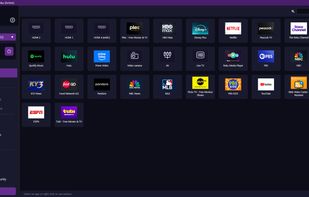
• See which devices are online and what's playing.
• Volume, mute, play/pause and home from your PC, or shut down every device in one click.
• Automatic device discovery. Rules follow each Roku even if its IP address changes.
PASSWORD-PROTECTED
• Password and backup code keep kids from turning it off.
• Lockout after repeated wrong guesses, with a security log.
RUNS IN THE BACKGROUND
• Lives in the system tray and can start with Windows.
• Notifications when limits are reached or bedtime starts, plus an activity log.
GOOD TO KNOW
• Runs on your PC, not the Roku. The PC must be on, running ScreenWarden, and on the same network as your Rokus.
• Does not filter content, is not tamper-proof against someone with access to your PC or router, and is not a substitute for supervision.
• Wake-up routines depend on your TV, network and PC; keep a backup alarm.
• For best results, give each Roku a fixed IP (DHCP reservation).
REQUIREMENTS
• Windows 10 (1809+) or Windows 11, 64-bit.
• Roku TV or Roku player on the same network.
• "Control by mobile apps" enabled on each Roku (Settings > System > Advanced system settings).
Support: https://screenwarden.app | help@screenwarden.app
Privacy: https://screenwarden.app/privacy | Terms: https://screenwarden.app/terms
ScreenWarden is not affiliated with, endorsed by, or sponsored by Roku, Inc. Roku is a trademark of Roku, Inc. Windows and Microsoft Store are trademarks of the Microsoft group of companies.




 ScreenWarden for Roku added ScreenWarden for Roku as alternative to Roku, Qustodio Parental Control, Google Family Link, Norton Family and 5 more


 ScreenWarden


No comments or reviews, maybe you want to be first?