Scilab icon
Scilab icon

Scilab

Scilab is free and open source software for numerical computation providing a powerful computing environment for engineering and scientific applications. Scilab includes hundreds of mathematical functions.
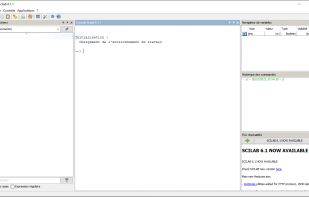
Scilab screenshot 1

Cost / License

Platforms

  • Mac
  • Windows
  • Linux
  • Flathub
  • Flatpak
105likes
0articles
Save

Features

Features

Highlights All activities

Scilab News & Activities

Recent News

No news, maybe you know any news worth sharing?

Share a News Tip

Recent activities

  • AutoPlot icon
    Oguz Umut Salman added Scilab as alternative to AutoPlot
  • Woxi icon
    adwolesi added Scilab as alternative to Woxi
  • RunMat icon
    finbarr added Scilab as alternative to RunMat
  • gingamuffin liked Scilab
  • AllMight liked Scilab
  • Ardos icon
    Paul added Scilab as alternative to Ardos

Scilab information

Scilab was added to AlternativeTo by kn on and this page was last updated .

No comments or reviews, maybe you want to be first?

Featured in Lists

Core, Development & Services

A list with 807 apps by AmileyaRyver without a description.
By AmileyaRyver807 appsUpdated

Data Science tools

My favorite Data Science tools, excluding Python data science tools : Programming languages ETL Tools Business Intelligence Statistics - Spreadsheets Statistics - Command Line Mathematics - Econometrics
By RemovedUser21 appsUpdated

maths

A list with 62 apps by kaekazeh without a description.
By kaekazeh62 appsUpdated

Official Links

Install from the command line

  • winget install -e --id Scilab.Scilab
  • brew install --cask scilab
  • flatpak install flathub org.scilab.Scilab

Be careful what you paste into a terminal. Check what a command installs before running it.

What is Scilab?

Scilab is free and open source software for numerical computation providing a powerful computing environment for engineering and scientific applications. Scilab includes hundreds of mathematical functions. It has a high level programming language allowing access to advanced data structures, 2-D and 3-D graphical functions. A large number of functionalities is included in Scilab:

  • Maths & Simulation: For usual engineering and science applications
  • 2-D & 3-D Visualization: Graphics functions to visualize, annotate and export data
  • Optimization: Algorithms to solve constrained and unconstrained continuous and discrete problems
  • Statistics: Tools to perform data analysis and modeling
  • Control System Design & Analysis: Standard algorithms and tools for control system study
  • Signal Processing: Visualize, analyze and filter signals in time and frequency domains
  • Application Development: Increase Scilab native functionalities and manage data exchanges
  • Xcos - Hybrid dynamic systems modeler and simulator: Modeling physical systems, control systems

Thanks to its ability to interconnect with third-party technologies and applications, Scilab can also act as a unique platform to bring together codes written in different programming languages in a single, unified language, thus facilitating their distribution, their back-up and use.