



ScanToExcel
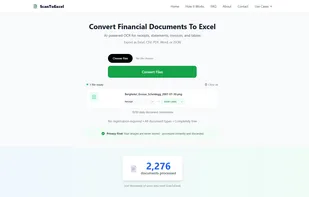
ScanToExcel is a free AI-powered OCR tool that instantly converts scanned documents, receipts, invoices, bank statements, and image tables into editable Excel spreadsheets and other formats.
 EU
EU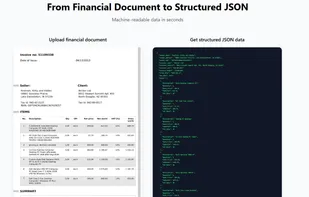

Features
Properties
- Lightweight
- Privacy focused
Features
- No registration required
- Ad-free
- OCR
- No Tracking
- Convert PDF to Excel document
 Export to Excel
- PDF OCR
- Scan documents
Tags
- document-converter
- data-extraction
- financial-tools
- invoice-processing
- Receipt scanner
- table-extraction
- ai-powered-invoice-processing
ScanToExcel News & Activities
Recent activities
- ScanToExcel added ScanToExcel
- POX updated ScanToExcel
 ScanToExcel added ScanToExcel as alternative to Online OCR, Tesseract, ABBYY FineReader PDF and CamScanner
ScanToExcel information
Developed by
 Julius Sørensen
 Licensing
Proprietary and Free product.Alternatives
6 alternatives listedSupported Languages
- English
AlternativeTo Category
Office & Productivity


What is ScanToExcel?
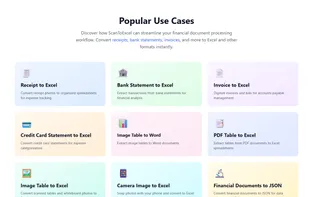
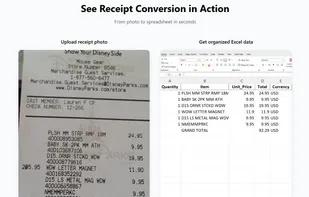
ScanToExcel is a privacy-focused, web-based AI OCR tool designed to eliminate manual data entry. It uses advanced optical character recognition to accurately extract data from financial documents like receipts, invoices, bank statements, credit card statements, and tables in images or PDFs.
Users can upload JPG, PNG, HEIC, HEIF, or PDF files (up to 50 at once for batch processing), and the tool processes them in seconds, exporting to Excel (.xlsx), CSV, PDF, Word (.docx), or JSON. No registration, downloads, or apps are required - it works directly in your browser on desktop, tablet, or mobile.
Key benefits include lightning-fast conversion (under 3 seconds per document), high accuracy trained on millions of documents, complete privacy (files are processed in memory and immediately discarded, no storage), no ads, and a generous free limit of 50 conversions per day (resets every 24 hours).
Ideal for freelancers, small business owners, accountants, and anyone handling expense tracking, financial analysis, or data integration.