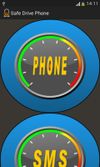
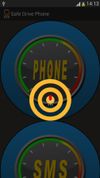
Application developed to allow you to drive safely and use your smartphone. You can search for contacts, make calls, read and write text messages without distraction from driving. This is done using simple voice commands, which can be modified. E 'can activate the speech recognizer also through movement (shake) of the device, this allows the use even when wearing gloves, or you have difficulty using the' touch screen '.
Functionality:
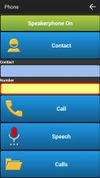
-Telephone Allows you to select a contact through voice recognition or to dictate a phone number, you can also select the contact through a list. Selected contact you can make the call using the voice recognition or via the button. It can also access the call list.
-SMS Allows you to select a contact through voice recognition or to dictate a phone number, you can also select the contact through a list. The message text can also be dictated by the speech recognizer. The behavior of the speech recognizer depends from 'focus' in which it is located. With the command 'Read sms' displays the last unread. You can also view the list of messages.
The application is also provided a voice support to make it easier to use for those with visual problems.
-setting Allows configuration of paramtre application as: the sensitivity of the movement to activate the speech recognizer, the setting of the controls and the selection of languages, the default language is set on the device.
-Commands:
• Cmd Phone: opens the screen for calls
• Cmd Sms: opens the screen to send sms
• Cmd Call: dials phone
• Close Cmd: back to the main screen
• Cmd Delete: erases the last word or the last number dictated
• Cmd Send Sms :send sms
• Cmd Read Sms :read last sms unread
• Cmd Reply Sms: prepares the application to reply to a text message read
IMPORTANT: It is advisable to set new commands, so as to adapt to the 'response' of the voice recognition device, is to help test the response to a voice command in the application bar.









 Michael Ginzburg added Safe Drive Phone as alternative to Safe Driving Auto Reply App

No comments or reviews, maybe you want to be first?