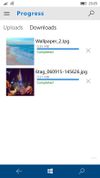
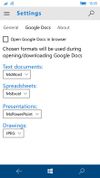
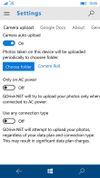
Scorch gives you everything you need to upload to, download from and manage the files and buckets on your Backblaze B2 Cloud Storage account.


Rmanager Pro is described as 'Remote File Manager is the powerful intuitive file browser and viewer for iOS. App can view, copy, move, stream, and manage files between NAS drives, computers, servers, and cloud storage in any direction. You don’t need to install any other software' and is a FTP Client in the file management category. There are more than 50 alternatives to Rmanager Pro for a variety of platforms, including Windows, Mac, Web-based, Linux and Android apps. The best Rmanager Pro alternative is Dropbox, which is free. Other great apps like Rmanager Pro are Duplicati, Rclone, Cyberduck and Koofr.
Scorch gives you everything you need to upload to, download from and manage the files and buckets on your Backblaze B2 Cloud Storage account.


Rebel Backup lets you make encrypted backups of your important files offsite to Dropbox or Google Drive. You control what and how often is backed up, and the encryption happens locally on your computer.


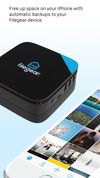
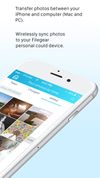
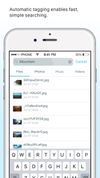
Filegear is the device that connects your new and existing hard drives into one place. Self-host your own private cloud and grow it's storage capacity by plugging additional drives into Filegear. Save room on your mobile phone by offloading all your photos to your Filegear...



nCrypted Cloud is a Privacy, Security, and Collaboration solution that gives users full control over their personal and corporate Dropbox data. nCrypted Cloud adds client side encryption to your Dropbox existing data, and does not require you to migrate or move your files.
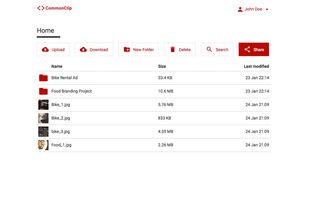
CommonClip is a super simple file sharing platform. We’ve made it incredibly easy to use and kept only the most essential functions for file sharing.
View, upload, publish, search, share and embed your documents online for free. Our built-in online document viewer supports over 90 document formats including DOCX, PDF, PPT, XLS, among many others.
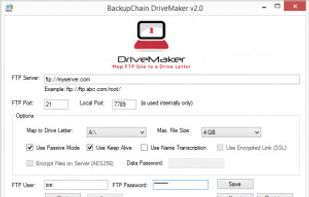
DriveMaker Freeware mounts or maps an FTP site to your desktop or Windows Server as a drive letter, for example: D:. Now you can use all kinds of different software to access the files on your FTP server just like the files you have on your PC, including the command prompt...