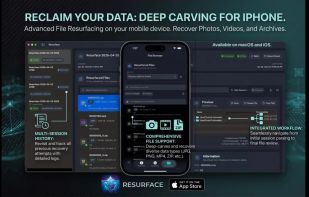
Resurface your precious files fast with Resurface, in seconds! Resurface is a Data Forensics and Data Carving application available on macOS and iOS (the first true Data Carving app on iOS). Operating completely offline with no cloud connections or additional hardware, Resurface puts professional-grade data recovery directly in your hands in a secure, private environment. Whether you are a specialist, government agency, or anyone with corrupted files, Resurface puts raw data carving in your hands in an easy to use, GUI application.
WHAT IS DATA CARVING?
Using a robust forensics technique called "Data Carving," it bypasses the file system entirely, ignoring what the OS claims is there. Instead, it dives into the raw data, actively scanning for the factual, unique hexadecimal signatures of specific file types.
While highly capable, Resurface operates differently than full-scale recovery suites like Disk Drill (our highly respected desktop recovery app of choice, known for unmatched capability and wonderful customer service). While Disk Drill employs a wide variety of methods including data carving, Resurface specializes exclusively in pure data carving.
THE 5 LEVELS OF DATA RECOVERY
To understand Resurface's power, it helps to know the "levels" of recovery:
Level 1 (Logical - Accidental Deletion): A program unmarks items in the file system's index. The data simply lost its "hard link."
Level 2 (Logical - Partition Damage): The disk says "needs to be initialized," but structural maps are largely intact.
Level 3 (Logical - Reconstruction): Complex file system reconstruction due to heavy corruption.
Level 4 (Raw Data Carving): This is where Resurface operates. The file system is completely gone. Data is extracted bit by bit based on raw file signatures.
Level 5 (Physical Hardware): The worst-case scenario. The drive is physically damaged and must be mailed to a professional lab like CleverFiles (Disk Drill) for hardware extraction.
Resurface is a pure Level 4 recovery tool—the absolute last digital option before needing to send your storage to a physical lab.
WHAT TO EXPECT: THE METADATA TRADEOFF
OS-SPECIFIC LIMITATIONS (macOS vs. iOS)
iOS is arguably the most secure consumer operating system in the world, there are system-level tasks, that are forbidden on iOS:
Resurface CANNOT recover permanently deleted photos or files from your iPhone’s trash.
(iOS tip: Any iOS app claiming to do this on-device is misleading; the system simply does not allow it, and Apple offers high bounties to anyone who can bypass this)
The macOS version enjoys broader access to external drives and deeper system files, acting as a traditional desktop forensics tool.
WHERE RESURFACE SHINES
Cross-platform, Resurface is specifically designed to carve data from:
Incomplete or failed web downloads.
Corrupted standalone files.
Disk images (.dmg, .iso, etc.) loaded onto your device.
"Empty" folders that the OS refuses to read, but still contain hidden data.







 Inspirationull


No comments or reviews, maybe you want to be first?