


Restore Point Creator
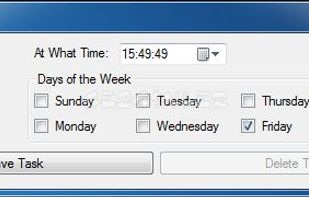
Restore Point Creator simplifies the way users create system restore points with the help of Windows' default features, putting additional handy options at their disposal such as a task scheduler.

The developer advised on his blog on July 24, 2018 that release version 7.1 Build 2 was the final release.https://www.toms-world.org/blog/restore_point_creator/

Features
- Schedule Backup
Tags
- restore-point-creator
Restore Point Creator News & Activities
Recent activities
Featured in Lists

A list with 35 apps by asphaltkisser without a description.
What is Restore Point Creator?
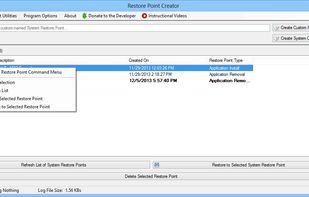
Create and manage System Restore Points quickly and easily, all from a free simple program. No more drilling through multiple menus in Windows just to create a System Restore Point, now all you have to do is run this program and that’s it. Follow the simple program layout and you have your System Restore Point created in no time at all.
Plus, for users of Windows 7 and Windows 8, creating System Restore Points is even quicker and easier with this program. Just pin this program to the Taskbar and you have the ability to quickly create System Restore Points using one of the two pinned Tasks (“Create System Checkpoint” and “Create Custom Named”) that the program creates. It’s that simple.
Create System Checkpoint – Creates a System Restore Point with the name of “System Checkpoint made by System Restore Point Creator” Create Custom Named – Asks you what you want your System Restore Point to be named and then creates one based upon what you inputted.
Restore Point Creator information
Developed by
 Tom Parkison
 Licensing
Open Source (GPL-3.0) and Free product.Rating
Average rating of 5Alternatives
9 alternatives listedSupported Languages
- English
AlternativeTo Category
Backup & SyncGitHub repository
- 11 Stars
- 7 Forks
- 0 Open Issues
- Updated (Archived)


Comments and Reviews
Saved me many times. Utilises simple windows restore point at it best
good one, windows 10 removed system restore, but with this app I can use it again....thanks for share...