


Recordit
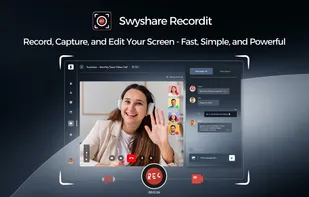
Swyshare Recordit is a powerful yet easy-to-use screen recording, screenshot, and video editing solution designed for capturing on-screen content with complete flexibility.
Cost / License
- Freemium (Pay once or Subscription)
- Proprietary
Application types
Platforms
- Windows
- Mac

Features
Properties
- Lightweight
Features
- Lossless Audio
- No Tracking
- No registration required
- Support for 4K
- Ad-free
- Audio Recording
- Record videos
- Screen Recording
Recordit News & Activities
Recent activities
- Meget updated Recordit
- Meget added Recordit
 Meget added Recordit as alternative to iTop Screen Recorder, OBS Studio, Camtasia and Bandicam

Recordit information
Developed by
SwyshareLicensing
Proprietary and Freemium product.Pricing
One time purchase ranging between $20 and $30, and / or subscription that costs $10 per month + free version with limited functionality.Alternatives
13 alternatives listedSupported Languages
- English
- German
- French
- Portuguese
- Spanish
- Italian
- Japanese
- Chinese


What is Recordit?
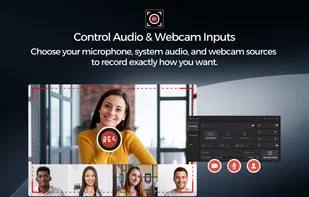
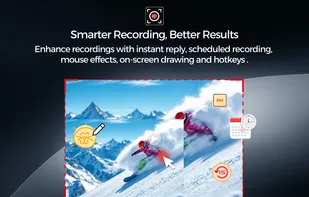
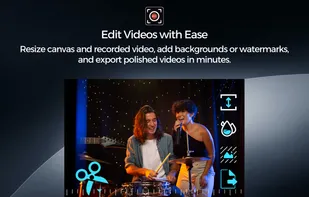
Swyshare Recordit is a powerful yet easy-to-use screen recording, screenshot, and video editing solution designed for capturing on-screen content with complete flexibility. With its flexible screen capture options, you can record your entire screen, a specific application window, or a custom-selected area, ensuring you always capture exactly what matters. Recordit gives you full control over customizable input sources, allowing you to choose your microphone, system audio, and webcam independently. This makes it ideal for creating tutorials, presentations, online courses, demos, or reaction videos that match your workflow and recording style. To help you create clearer and more engaging recordings, Recordit includes a range of smart recording tools. Features such as instant replay, mouse effects, on-screen drawing, customizable hotkeys, and scheduled recording improve efficiency, highlight important actions, and ensure you never miss key moments. After recording, built-in video editing tools allow you to trim clips, resize the video canvas, add backgrounds or watermarks, and export polished videos in minutes—all without the need for additional software. With its intuitive interface and all-in-one design, Swyshare Recordit is an ideal solution for creators, professionals, educators, and anyone who needs reliable screen capture and easy video editing. In addition to screen recording, Recordit makes it simple to take high-quality screenshots of your screen or selected area in just one click. This feature is perfect for documentation, visual guides, presentations, and quick references.