RAMRush Alternatives

RAMRush is described as 'Free memory management and optimization tool. It can efficiently optimize memory usages of your Windows system, free up physical RAM and make your system work better. RAMRush uses an intelligent way to manage the physical memory and lets the RAM work in a better' and is an app in the os & utilities category. There are more than 10 alternatives to RAMRush for Windows, Mac, Linux and Mozilla Firefox. The best RAMRush alternative is PC Fresh. It's not free, so if you're looking for a free alternative, you could try WinExt Free or Cacheman. Other great apps like RAMRush are Shiny - Mac App, MemInfo, Memory Optimizer and Memory Clean.

Copy a direct link to this comment to your clipboard
RAMRush alternatives page was last updated

Alternatives list

  1. PC Fresh icon
     1 like

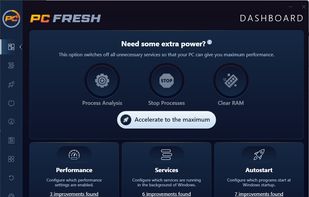
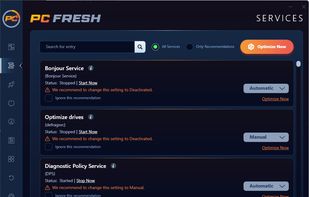
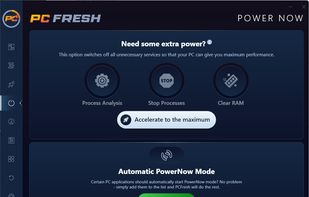
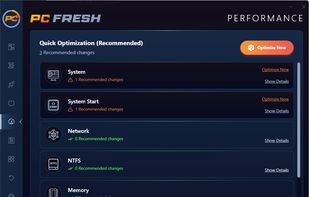
    PC Fresh is an all-in-one software that offers you the perfect toolbox to get the maximum power out of your PC and ensures a massive increase in performance.

    Cost / License

    • Paid
    • Proprietary

    Platforms

    • Windows
     
  2. WinExt Free icon
     11 likes

    Powerful Win utilities: fix registry, clean junk, protect privacy, optimize system, quick launch, find duplicates, folder size, see more recent resources, activity monitor, batch operation, synchronization, disable context menus, skip UAC, trace file.

    Cost / License

    • Freemium
    • Proprietary

    Alerts

    • Discontinued

    Platforms

    • Windows
     
  3. Shiny is a menu-bar app designed to make your Mac feel like the day you bought it. It does this by freeing up memory and calming the background apps that have been chewing through your RAM. A quiet indicator in the menu bar tells you when your Mac wants some relief with one...

    Cost / License

    • Paid
    • Proprietary

    Platforms

    • Mac
     
  4. Cacheman icon
     7 likes

    Cacheman is a Windows program designed to speed up your computer by optimizing your cache, managing RAM, and fine tuning a number of system settings and services.

    Cost / License

    • Freemium
    • Proprietary

    Alerts

    • Discontinued

    Platforms

    • Windows
     
  5. MemInfo icon
     8 likes

    MemInfo Displays the current memory (RAM or Page File) usage of Windows in the system tray.

    Cost / License

    • Free
    • Proprietary

    Platforms

    • Windows
     
  6. Understand your computer’s memory usage and keep it under control – Memory Optimizer will graph your computer’s memory showing you what’s using it and giving you an easy way to optimize it’s usage. Just click “Optimize” and speed your computer up immediately!

    16 Memory Optimizer alternatives

    Cost / License

    • Free
    • Proprietary

    Platforms

    • Windows
     
  7. Memory Clean icon
     5 likes

    Memory Clean is the ultimate app for optimizing your Mac's memory and is best used after you have finished using a memory (RAM) intensive app or game. With the slickest interface and user experience, Memory Clean stands head and shoulders above the rest.

    Cost / License

    • Paid
    • Proprietary

    Platforms

    • Mac
     
  8. FreeMemory icon
     2 likes

    FreeMemory can increase your free memory with a simple click and monitor memory usage in the menubar.

    Cost / License

    • Free
    • Proprietary

    Platforms

    • Mac
     
  9. Rizonesoft Memory Booster is not just another Memory Booster. It does not run on the placebo memory optimization engine and will not force any memory out of your RAM. It will however make a safe Windows API call that tells Windows to clean up the work space of all processes thus.

    Cost / License

    • Free
    • Open Source

    Platforms

    • Windows
     
  10. SuperRam icon
     1 like

    SuperRam will make your PC faster by boosting RAM performance and speed. Increase the speed of your computer immediately.

    Cost / License

    • Paid
    • Proprietary

    Platforms

    • Windows
     
  11. Mz RAM Booster is a program created to improve the performance of your computer by auto-recovering RAM and fine tuning some Windows system settings! It uses minimal resources and almost no CPU time.

    Cost / License

    • Free
    • Proprietary

    Alerts

    • Discontinued

    Platforms

    • Windows
     
  12. TweakRAM icon
     1 like

    TweakRAM is a handy memory optimizer tool that will keep your computer running faster and efficiently. It increases your system performance by making more memory available for your applications and the operating system.

    Cost / License

    • Paid
    • Proprietary

    Platforms

    • Windows
     
12 of 20 RAMRush alternatives