


Rainbow Stream
6 likes
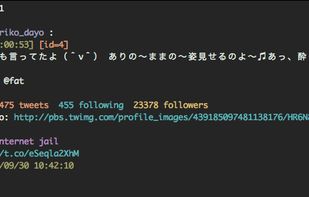
A smart and nice Twitter client on terminal written in Python.
Discontinued
Dead due to Twitter API limits.https://github.com/orakaro/rainbowstream/issues/342#issuecomment-1634712896

Features
- Command line interface
- Console-based
Tags
- python-app
Rainbow Stream News & Activities
Highlights All activities
Recent activities
No activities found.
Rainbow Stream information
Developed by
Orakaro TargaryenLicensing
Open Source (MIT) and Free product.Written in
Alternatives
10 alternatives listedSupported Languages
- English

AlternativeTo Categories
OS & Utilities, Social & CommunicationsGitHub repository
- 3,532 Stars
- 258 Forks
- 150 Open Issues
- Updated


Featured in Lists

A few days ago, [Twitter introduced its new desktop …
List by Paul with 9 apps, updated
What is Rainbow Stream?
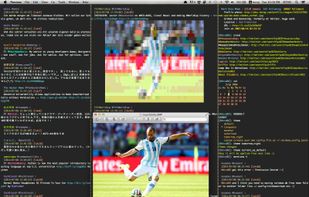
Rainbow Stream is a smart and nice Twitter Client on Terminal.
It not only can do almost everything you can with a GUI client, but also have the power of CLI.
- It have an interactive shell with tab autocomplete, history browsing, - calendar, calculator, and more...
- It is shipped with beautiful themes and fully customizable.
- It even can display an image directly on your terminal.
Written by geek and for geeks, Rainbow Stream aims to be the perfect Twitter workflow on your favourite terminal.
Comments and Reviews
On Mac OS 10.6:
[Edited by norz, August 26]