


QUCS
40 likes
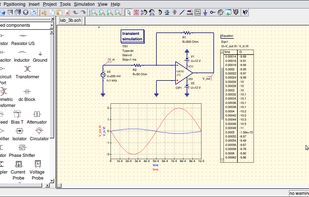
The Quite Universal Circuit Simulator (QUCS) is an integrated circuit simulator allowing the simulation and graphical presentation of results of large-signal, small-signal and noise behavior in circuits.

Cost / License
- Free
- Open Source (GPL-2.0)
Application typeApplication types
 EU
EUPlatforms
- Mac
- Windows
- Linux


Features
Highlights All activities
QUCS News & Activities
Recent News
No news, maybe you know any news worth sharing?
Share a News Tip
Recent activities
 Danilo Venom added QUCS as alternative to FreeCircuitSim
Looks very simple appereance and has a small set of components - it's good only for learning the basics of electronics and simple project's
- benni liked QUCS
- antoniocgj liked QUCS
I would recommend the fork called Qucs-S instead of Qucs, because Qucs-S is actively maintained and can use SPICE in addition to Qucsator.
- solandre-wyze-ap-shelta liked QUCS
- Creative_joe liked QUCS

Developed by
 Stefan Jahn
 Licensing
Open Source (GPL-2.0) and Free product.Written in
Alternatives
37 alternatives listedBadge
Get an embeddable badge for QUCSSupported Languages

AlternativeTo Category
Education & ReferenceGitHub repository
- 1,328 Stars
- 228 Forks
- 93 Open Issues
- Updated


Comments and Reviews
Looks very simple appereance and has a small set of components - it's good only for learning the basics of electronics and simple project's
I would recommend the fork called Qucs-S instead of Qucs, because Qucs-S is actively maintained and can use SPICE in addition to Qucsator.